

The Consumption view is only available to organization
admins.
View your consumption data
To access the Consumption view, log in to AI Studio and select the Consumption tab in the left sidebar.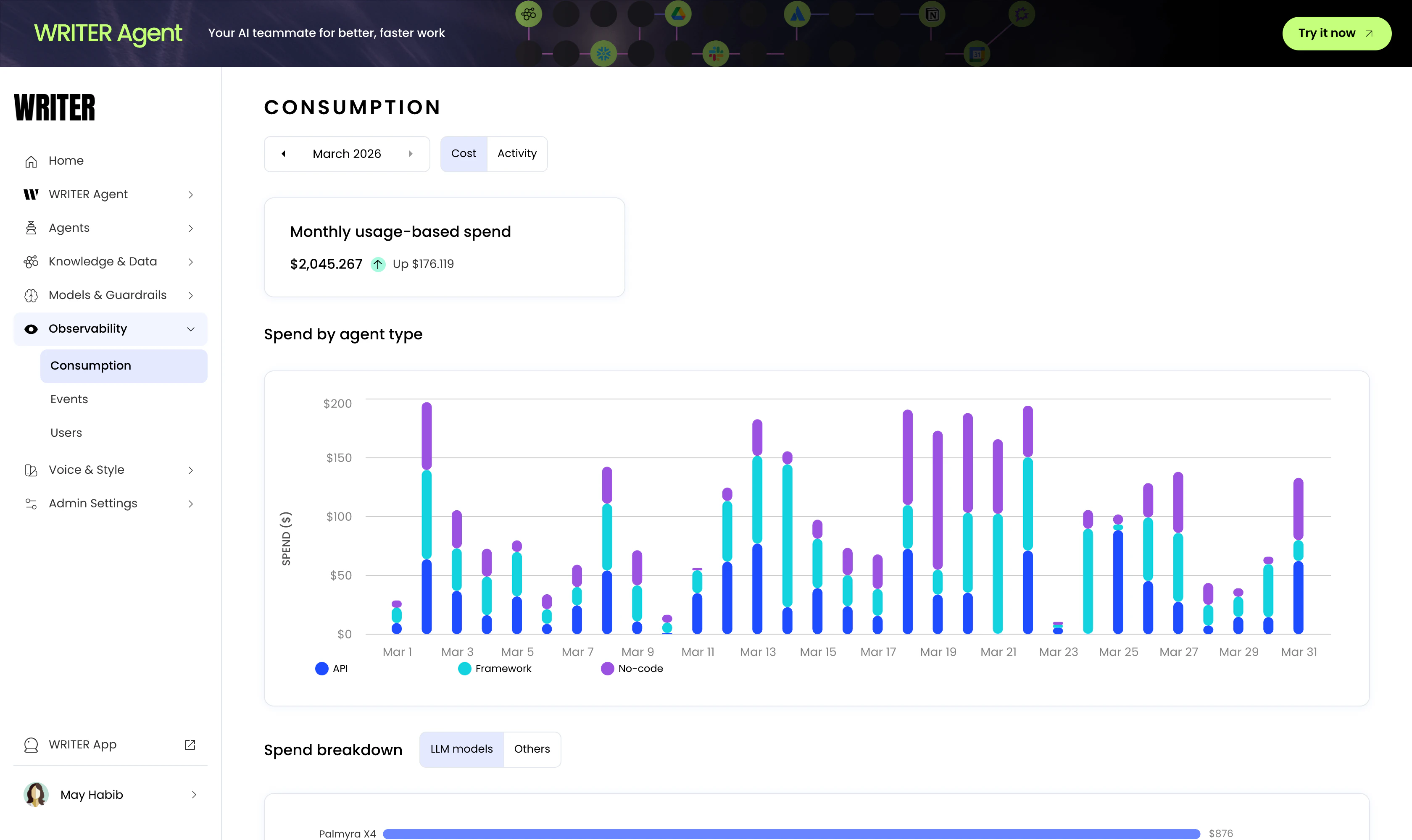
Cost view
The cost view shows the following information:- Monthly usage-based spend: The total cost of usage for the month, with a comparison to the previous month.
- Spend by agent type: A day-by-day breakdown of the cost of usage by agent type (API, Framework, and No-Code).
- Spend breakdown:
- LLM models: The usage cost for each LLM model.
- Others: The usage cost for all other services, such as Knowledge Graph hosting, web access, and optical character recognition (OCR).
Activity view
The activity view shows the following information:- Monthly token usage: The total number of tokens used for the month, with a comparison to the previous month.
- Top users by token usage: The top five users with the most token usage.
- Top agents by token usage: The top five agents with the most token usage.
- Token usage by agent type: A day-by-day breakdown of the token usage by agent type (API, Framework, and No-Code).
- Token usage by model: The total number of tokens used for each model.
Next steps
- Observability overview: Monitor events, errors, and performance across your deployment
- Agent observability: Track individual agent performance with session logs and metrics