

Only IT admins can enable and configure the DLP guardrail. Each organization
can have one DLP guardrail.
What the guardrail detects
The DLP guardrail scans for the following categories of sensitive data. You can enable or disable individual categories when you configure the guardrail.- Personal information—names, email addresses, phone numbers, street addresses, and other personally identifiable information
- Financial data—credit card numbers, bank account numbers, and related financial identifiers
- Government IDs—national identification numbers, Social Security numbers, passport numbers, and similar government-issued identifiers
- Healthcare identifiers—medical record numbers, health insurance identifiers, and other protected health information identifiers
- Secrets and credentials—API keys, access tokens, passwords, and other credentials that could grant unauthorized access
How the guardrail runs
The DLP guardrail runs a pre-call check on prompt text and files uploaded to a session. When it blocks a request, later guardrails in the execution order do not run. Execution order follows each guardrail’s priority number. If multiple guardrails share the same priority, the one created earlier runs first. You can configure DLP to fail closed or fail open when the DLP service is unavailable:- Fail closed—block all requests until the service recovers
- Fail open—allow requests through until the service recovers
The current release does not inspect model output (post-call), data retrieved
through connectors, tool calls, or Knowledge Graph. Post-call detection is
planned for a later release.
Enable the DLP guardrail
IT admins enable the DLP guardrail in AI Studio so it applies across the teams and models you select.1
Open Guardrails in AI Studio
Log in to AI Studio, then go to Models & guardrails > Guardrails. Find the Writer-provided Data Loss Prevention guardrail and turn it on to open the setup modal.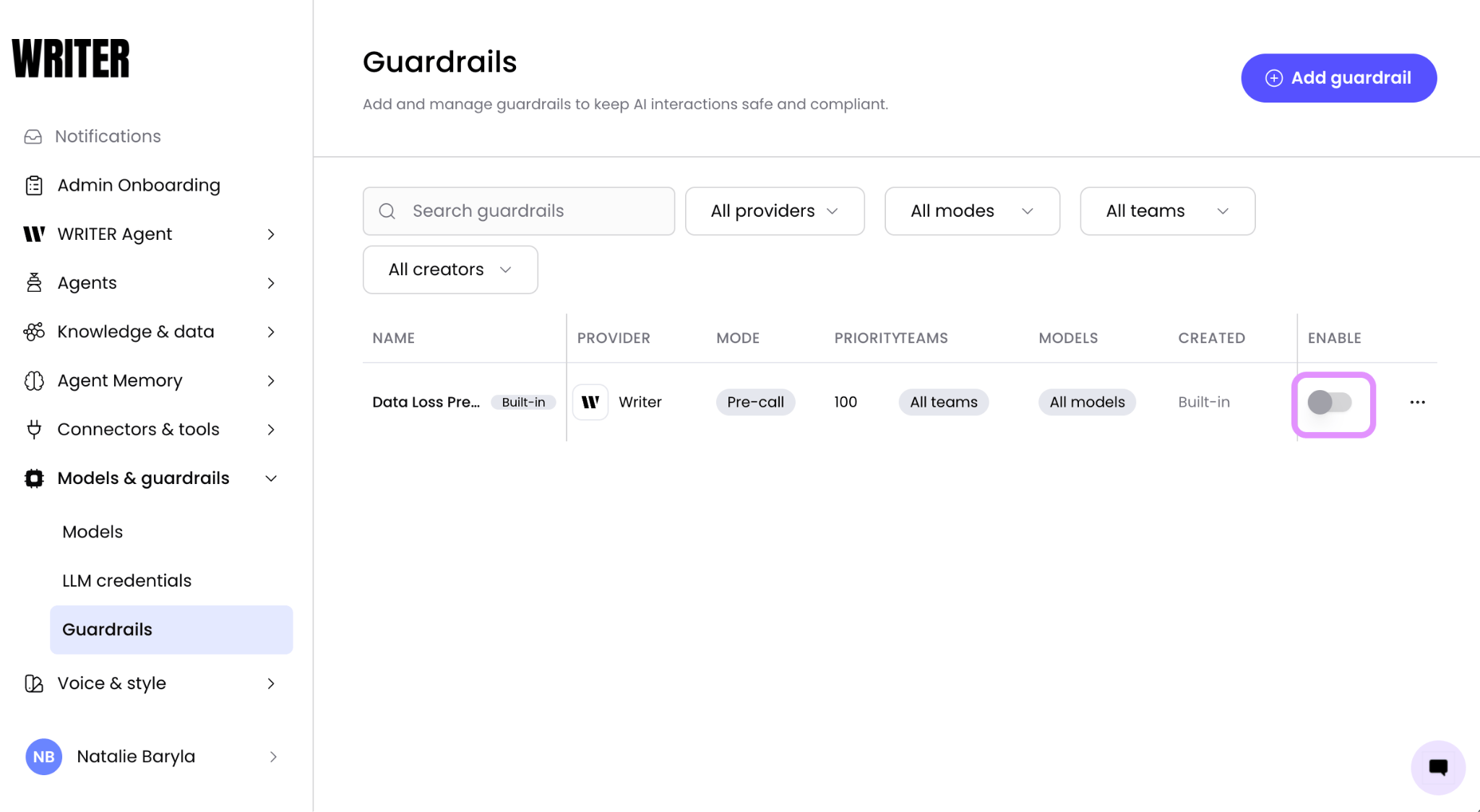
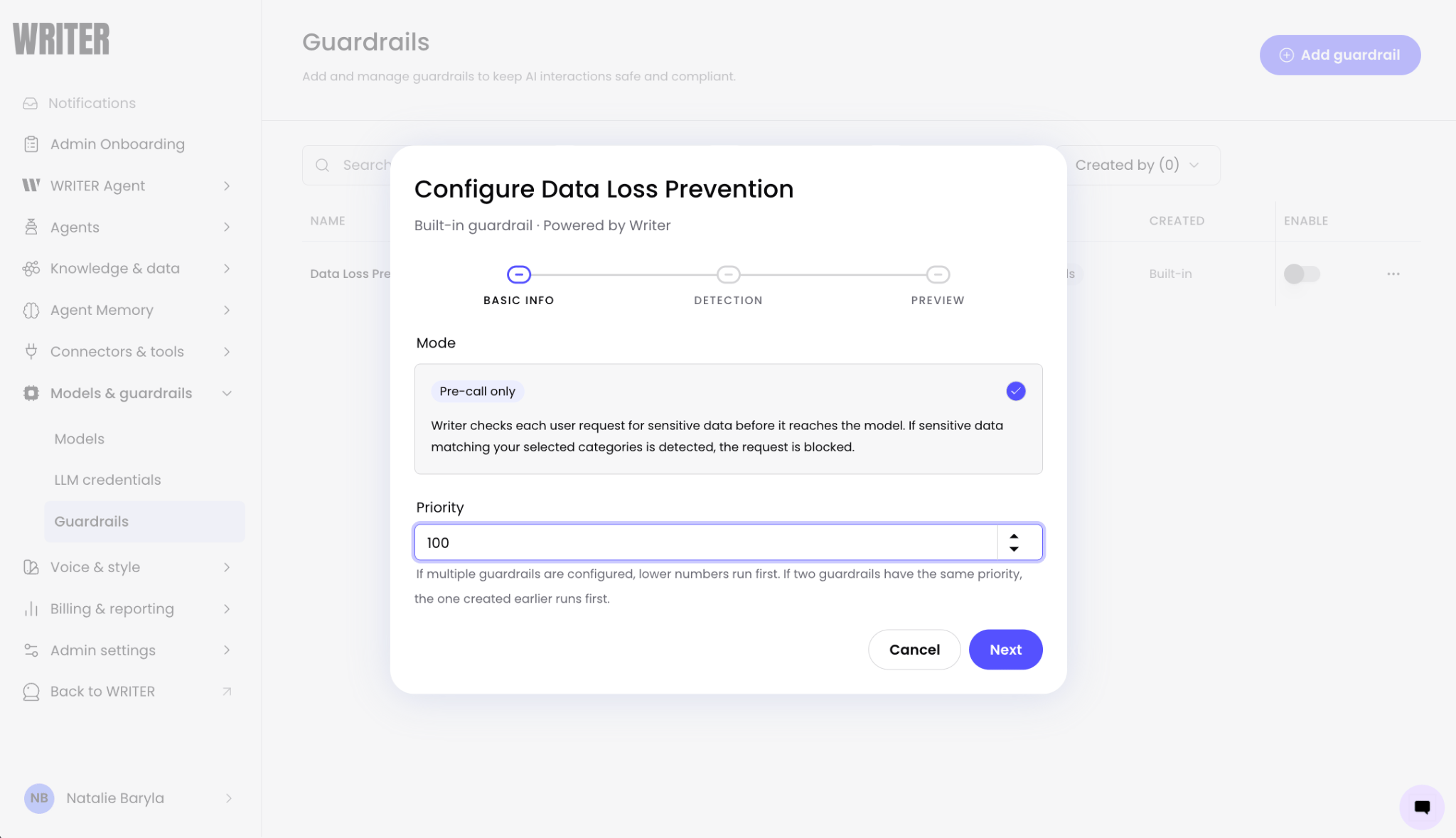
2
Select categories to block
On Detection, choose the categories of sensitive data to block, or accept the default set: Personal information, Financial, Government IDs, Healthcare, and Secrets & credentials. You can change these later.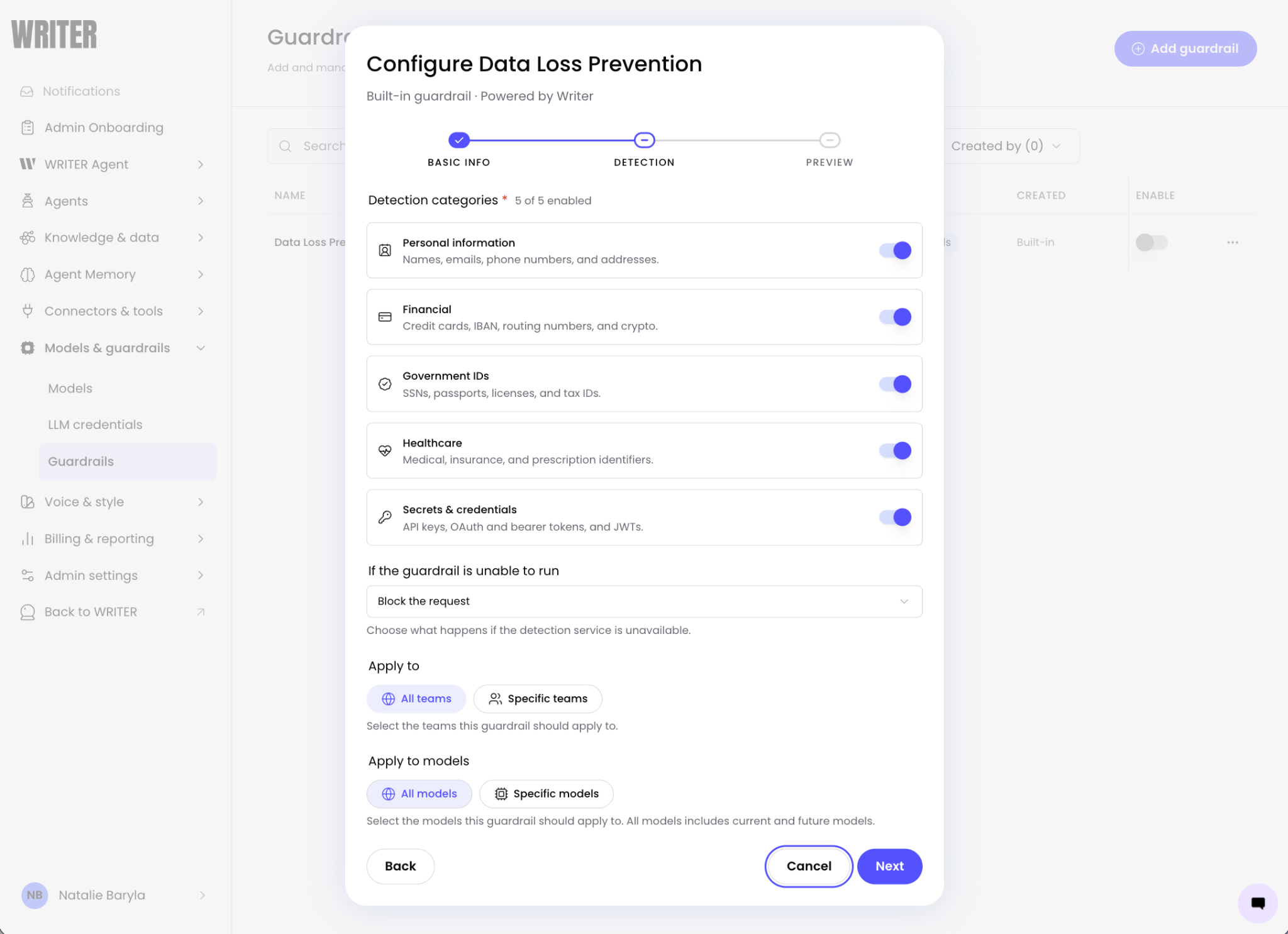
3
Choose fail behavior
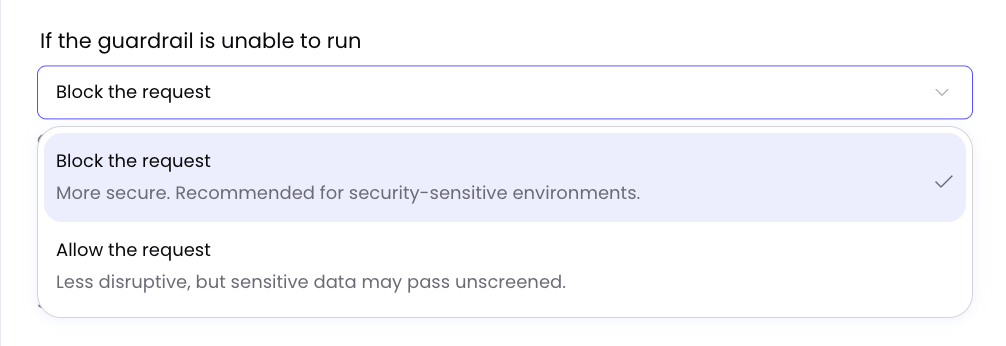
Under If the guardrail is unable to run, choose what happens if the detection service is unavailable:
- Block the request (fail closed)—block all requests until the service recovers
-
Allow the request (fail open)—allow requests through until the service recovers
4
Scope teams and models
Under Apply to and Apply to models, select all teams and models, or limit the guardrail to specific ones. If you select both specific teams and specific models, the guardrail applies only where they overlap—not to all selected teams or all selected models independently. All models includes current and future models. Select Next.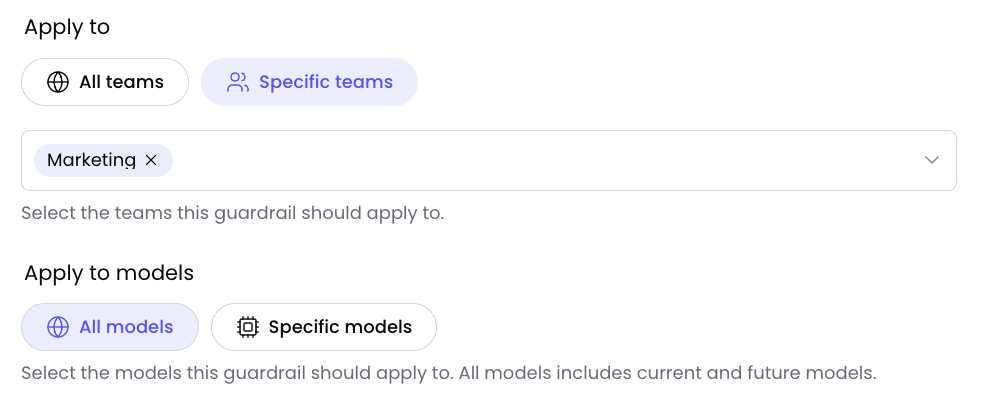
5
Test and save
On Preview, enter sample input and select Preview. Confirm the guardrail blocks sensitive content, then select Save changes.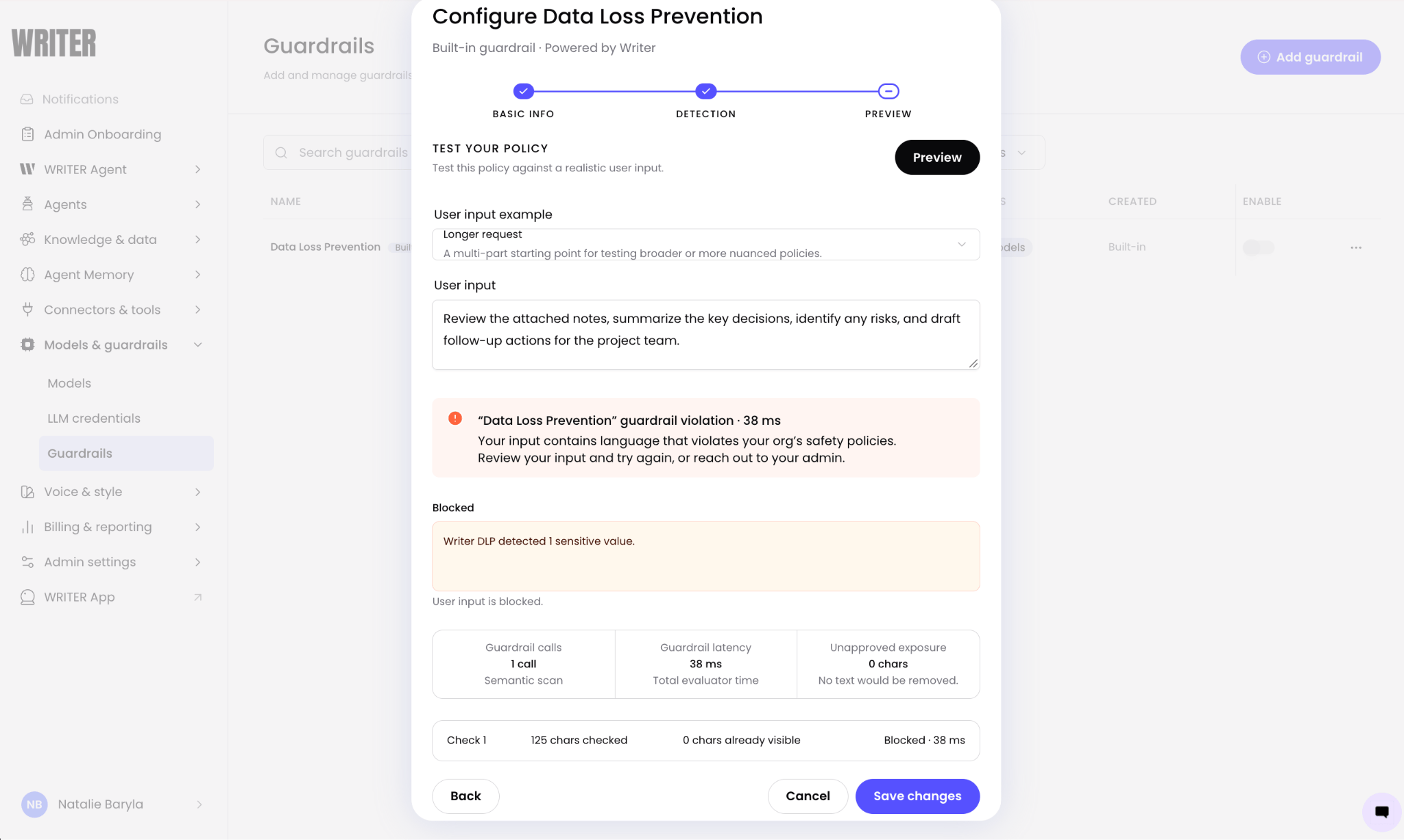
How users experience a blocked request
When a user submits a prompt that contains sensitive data matching an enabled category, the guardrail blocks the request before the model call. The user receives a message indicating that the request was blocked to protect sensitive information, and no content is sent to the model. The original session remains intact. The user can revise the prompt to remove the sensitive data and resubmit, or continue working in the same session.Monitor guardrail decisions
Allow and block decisions, including which categories triggered a block, appear in event logs and traces. You can also filter for them with theguardrail_outcome parameter on the Logs Export API.
Next steps
After you enable DLP, review related guardrail and logging guides.- Configure guardrails: Learn about guardrail modes, team scoping, and provider integrations
- Event logs: View guardrail allow and block decisions in AI Studio
- Export logs: Stream logs and filter by
guardrail_outcome