> ## Documentation Index
> Fetch the complete documentation index at: https://dev.writer.com/llms.txt
> Use this file to discover all available pages before exploring further.
# Usage and spend
> Track organization-wide costs, token usage, and consumption trends across all agents
The Consumption view in AI Studio gives billing administrators and finance teams a detailed breakdown of usage and spend month-by-month across all agents. Track costs by agent type, model, and service to understand where your organization's AI budget is going.
The Consumption view is only available to [organization
admins](https://support.writer.com).
## View your consumption data
To access the Consumption view, [log in to AI Studio](https://app.writer.com/aistudio) and select the **Consumption** tab in the left sidebar.
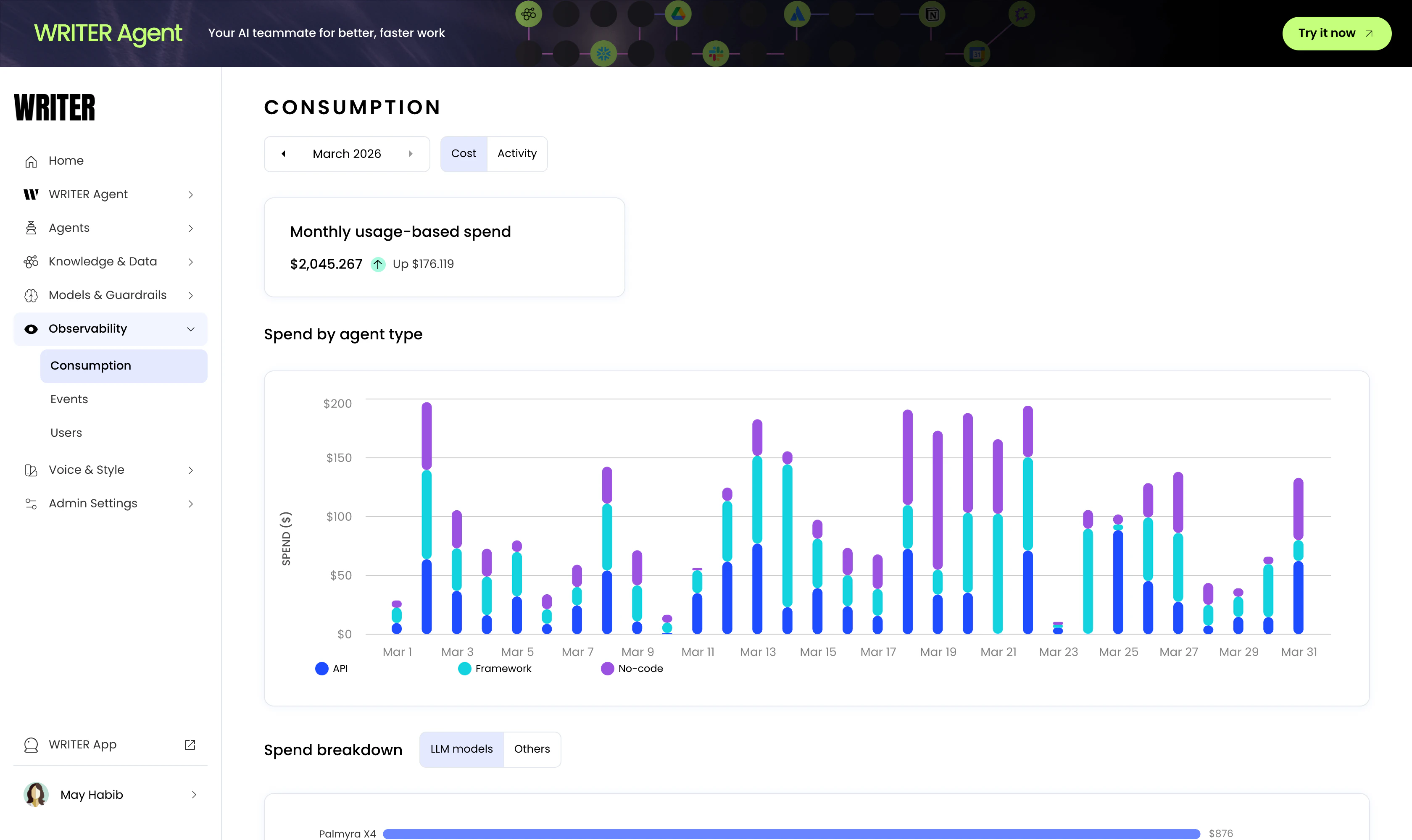 You can switch between a cost view and an activity view, which shows the number of tokens used for each agent type. See below for more details about the data available in the [cost view](#cost-view) and the [activity view](#activity-view).
## Cost view
The cost view shows the following information:
* **Monthly usage-based spend**: The total cost of usage for the month, with a comparison to the previous month.
* **Spend by agent type**: A day-by-day breakdown of the cost of usage by agent type (API, Framework, and No-Code).
* **Spend breakdown**:
* **LLM models**: The usage cost for each LLM model.
* **Others**: The usage cost for all other services, such as Knowledge Graph hosting, web access, and optical character recognition (OCR).
## Activity view
The activity view shows the following information:
* **Monthly token usage**: The total number of tokens used for the month, with a comparison to the previous month.
* **Top users by token usage**: The top five users with the most token usage.
* **Top agents by token usage**: The top five agents with the most token usage.
* **Token usage by agent type**: A day-by-day breakdown of the token usage by agent type (API, Framework, and No-Code).
* **Token usage by model**: The total number of tokens used for each model.
## Next steps
* [Observability overview](/home/observability): Monitor events, errors, and performance across your deployment
* [Agent observability](/home/agent-observability): Track individual agent performance with session logs and metrics
You can switch between a cost view and an activity view, which shows the number of tokens used for each agent type. See below for more details about the data available in the [cost view](#cost-view) and the [activity view](#activity-view).
## Cost view
The cost view shows the following information:
* **Monthly usage-based spend**: The total cost of usage for the month, with a comparison to the previous month.
* **Spend by agent type**: A day-by-day breakdown of the cost of usage by agent type (API, Framework, and No-Code).
* **Spend breakdown**:
* **LLM models**: The usage cost for each LLM model.
* **Others**: The usage cost for all other services, such as Knowledge Graph hosting, web access, and optical character recognition (OCR).
## Activity view
The activity view shows the following information:
* **Monthly token usage**: The total number of tokens used for the month, with a comparison to the previous month.
* **Top users by token usage**: The top five users with the most token usage.
* **Top agents by token usage**: The top five agents with the most token usage.
* **Token usage by agent type**: A day-by-day breakdown of the token usage by agent type (API, Framework, and No-Code).
* **Token usage by model**: The total number of tokens used for each model.
## Next steps
* [Observability overview](/home/observability): Monitor events, errors, and performance across your deployment
* [Agent observability](/home/agent-observability): Track individual agent performance with session logs and metrics