> ## Documentation Index
> Fetch the complete documentation index at: https://dev.writer.com/llms.txt
> Use this file to discover all available pages before exploring further.
# Configure plugins
> Stream telemetry and security data from AI Studio to your existing monitoring platforms with observability and security plugins.
This page covers how to configure plugins in AI Studio. Plugins enable your organization to stream telemetry and security data to existing monitoring platforms, giving platform admins, security ops, and data ops teams visibility into AI Studio activity from the tools they already use.
AI Studio supports two categories of plugins:
* **Observability plugins**: Stream logs and metrics to external monitoring platforms for centralized analysis.
* **Security plugins**: Connect third-party guardrails providers to AI Studio. Admins enable a security plugin on the Plugins page, which allows individual guardrails to be created and configured on the [Guardrails page](/home/guardrails).
Plugins are available on enterprise plans. Org admins, IT admins, and users
with AI Studio full access roles can add and manage plugins.
 ## How plugins work
Plugins stream monitoring data from AI Studio directly into your existing observability and security tools, giving you centralized visibility across every agent, interaction, and cost in your deployment.
With plugins configured, admins can:
* **Monitor agent activity** in the same dashboards and alerting workflows used across the rest of the organization
* **Audit agent behavior** by streaming request-level metadata to external logging and compliance tools
* **Enforce security policies** by routing agent interactions through third-party guardrails providers
```mermaid theme={null}
sequenceDiagram
participant Client
participant LLMGateway as AI Studio Gateway
participant Provider as LLM Provider
participant Plugin as Plugin Provider
Client->>LLMGateway: Send chat/completion request
LLMGateway->>Provider: Forward to model provider
Provider-->>LLMGateway: Return model response
LLMGateway-->>Client: Return response to client
LLMGateway--)Plugin: Send request + response log
## How plugins work
Plugins stream monitoring data from AI Studio directly into your existing observability and security tools, giving you centralized visibility across every agent, interaction, and cost in your deployment.
With plugins configured, admins can:
* **Monitor agent activity** in the same dashboards and alerting workflows used across the rest of the organization
* **Audit agent behavior** by streaming request-level metadata to external logging and compliance tools
* **Enforce security policies** by routing agent interactions through third-party guardrails providers
```mermaid theme={null}
sequenceDiagram
participant Client
participant LLMGateway as AI Studio Gateway
participant Provider as LLM Provider
participant Plugin as Plugin Provider
Client->>LLMGateway: Send chat/completion request
LLMGateway->>Provider: Forward to model provider
Provider-->>LLMGateway: Return model response
LLMGateway-->>Client: Return response to client
LLMGateway--)Plugin: Send request + response log
(model, usage, status, metadata)
```
## Available plugins
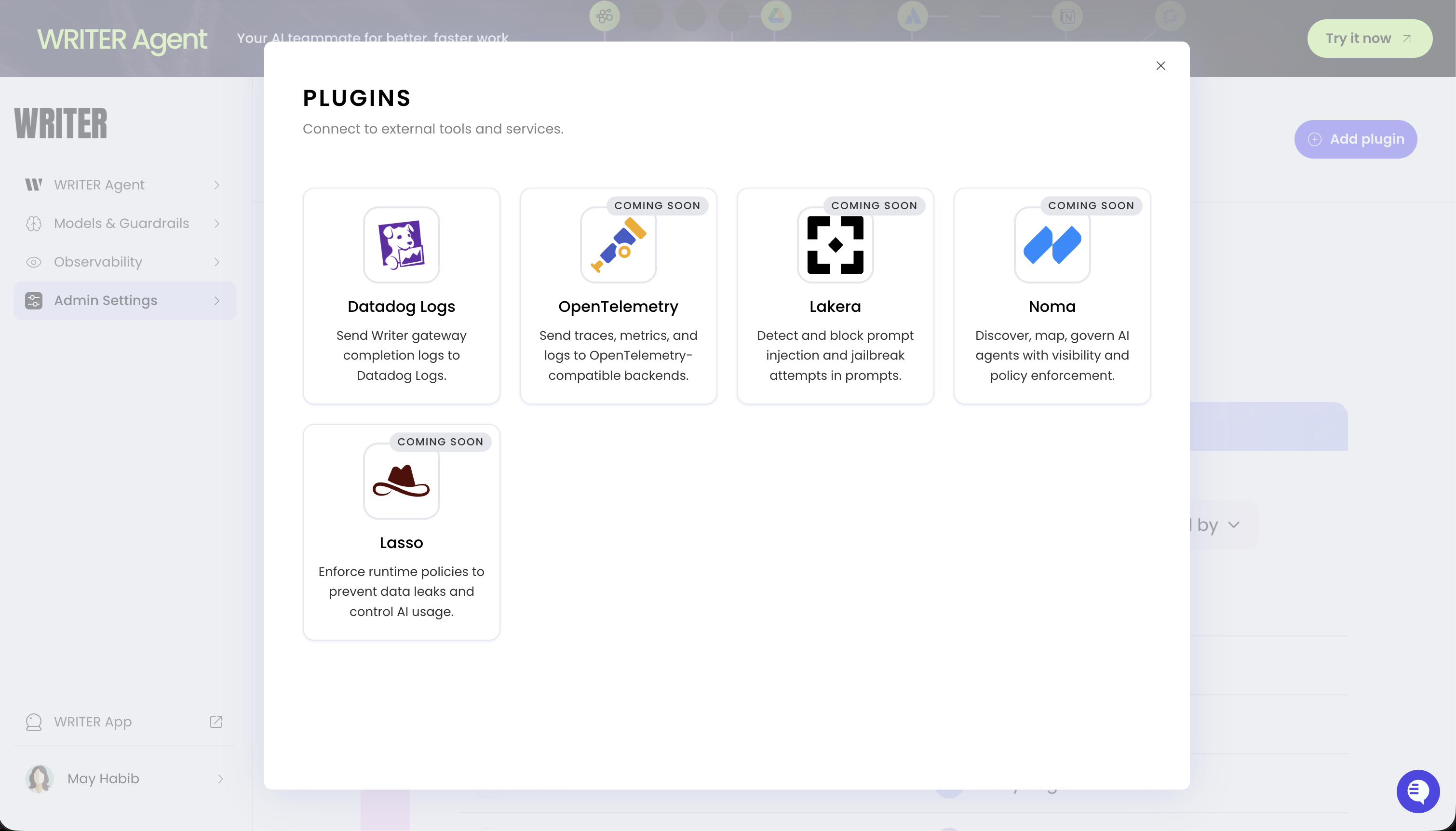
AI Studio supports the following plugins. Select an available plugin to view detailed configuration instructions.
| Plugin | Category | Status | Plugin docs |
| ---------------- | ------------- | ----------- | --------------------------------------- |
| **Datadog Logs** | Observability | Available | [View docs](/home/plugins/datadog-logs) |
| OpenTelemetry | Observability | Coming soon | — |
| Lakera | Security | Coming soon | — |
| Lasso | Security | Coming soon | — |
| Noma | Security | Coming soon | — |
## Set up a plugin
To configure a security or observability plugin:
1. Navigate to the **Plugins** page in [AI Studio](https://app.writer.com/aistudio)
2. Select **+ Add plugin**
3. Select the security or observability plugin you want to configure
4. Enter the required credentials (see the [individual plugin docs](#available-plugins) for details)
5. Configure any provider-specific settings (see the [individual plugin docs](#available-plugins) for details)
For detailed setup instructions, see the plugin-specific documentation linked in the [available plugins](#available-plugins) table.
## Next steps
* [Datadog Logs plugin](/home/plugins/datadog-logs): Configure log forwarding to Datadog
* [Observability overview](/home/observability): Monitor events, errors, and performance across your deployment
* [Agent observability](/home/agent-observability): Track individual agent performance with session logs and metrics