> ## Documentation Index
> Fetch the complete documentation index at: https://dev.writer.com/llms.txt
> Use this file to discover all available pages before exploring further.
# Writer Framework
The Writer Framework lets you build feature-rich apps by using a drag-and-drop visual editor called **the Builder** and writing the back-end code in Python. It's fast and flexible, with clean, easy-to-test syntax. It provides separation of concerns between UI and business logic, enabling more complex apps.
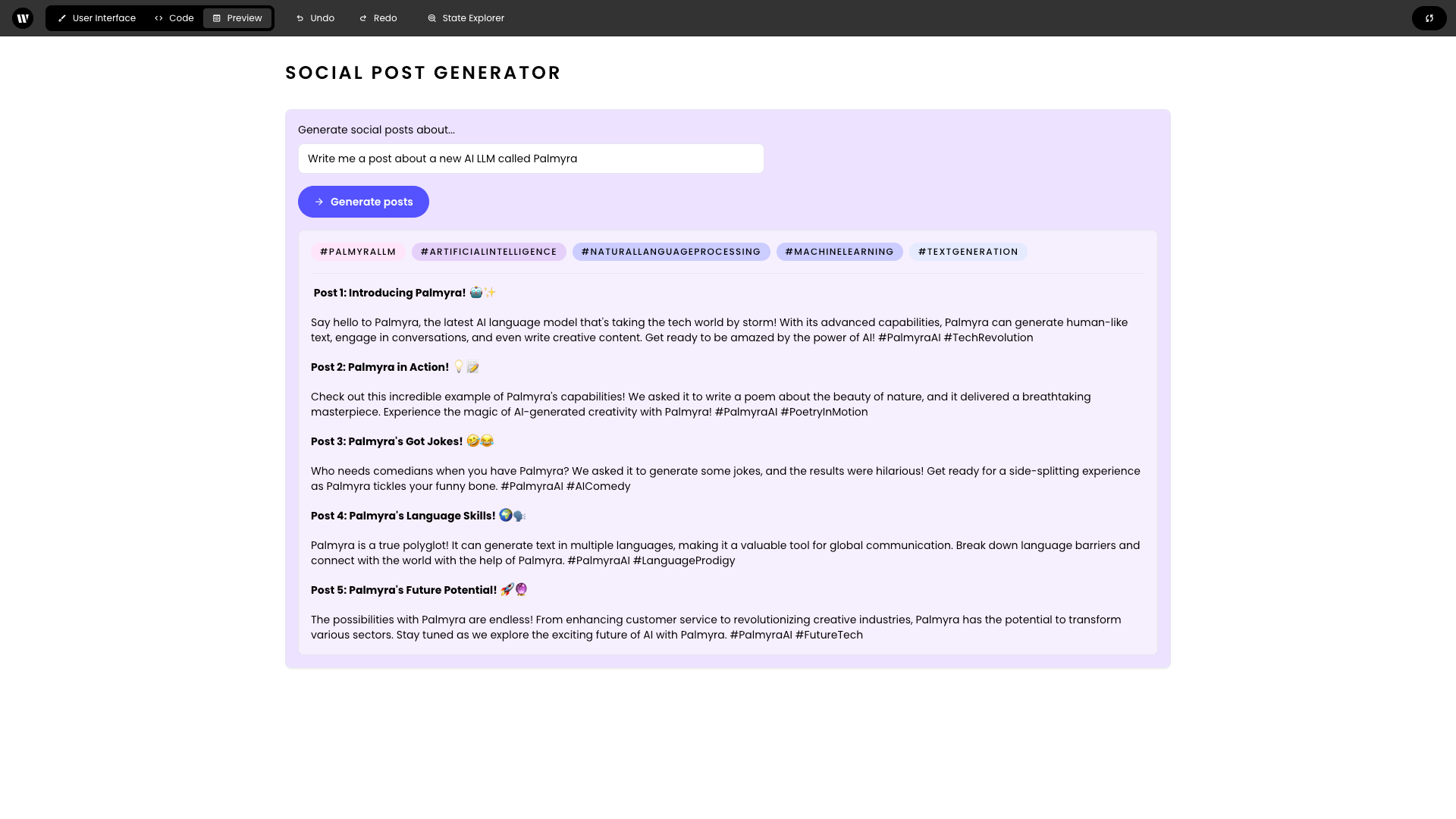 Build AI apps with the Writer Framework when:
1. You need to incorporate external data sources, such as external APIs
2. You have complex user input that requires custom logic, such as conditions that trigger the use of different prompts
3. You want to quickly analyze and visualize data using an LLM
The Writer Framework offers:
Define event handlers as plain Python functions.
```python theme={null}
def handle_text_update(state):
state["text"] = "Updated text"
writer.init_state({
"text": "Initial text"
})
```
Link the event handler and state to the UI seamlessly.
Install with a simple pip command.
Save user interfaces as JSON to be version controlled with the rest of the app.
Use your local code editor with instant refreshes or the provided web-based editor. Edit the UI while your app is running without needing to click “Preview.”
Event handling adds only 1-2ms to your Python code.
Use WebSockets to synchronize front-end and back-end states.
Non-blocking by default, with asynchronous event handling in a dedicated thread pool.
No CSS required for customization like shadows, button icons, and background colors.
Include HTML elements with custom CSS using the HTML Element component, which can serve as containers for built-in components.
To get started, head to [Quickstart](/framework/quickstart) or our tutorials:
Generate multiple social media posts in a click of button using our social media generator.
Using Knowledge Graph, our graph-based RAG solution, you can build chat assistants to quickly ask questions using your data sources.
Build real-time digital shelves for hundreds of products that are automatically customized for different e-retailers.
Build AI apps with the Writer Framework when:
1. You need to incorporate external data sources, such as external APIs
2. You have complex user input that requires custom logic, such as conditions that trigger the use of different prompts
3. You want to quickly analyze and visualize data using an LLM
The Writer Framework offers:
Define event handlers as plain Python functions.
```python theme={null}
def handle_text_update(state):
state["text"] = "Updated text"
writer.init_state({
"text": "Initial text"
})
```
Link the event handler and state to the UI seamlessly.
Install with a simple pip command.
Save user interfaces as JSON to be version controlled with the rest of the app.
Use your local code editor with instant refreshes or the provided web-based editor. Edit the UI while your app is running without needing to click “Preview.”
Event handling adds only 1-2ms to your Python code.
Use WebSockets to synchronize front-end and back-end states.
Non-blocking by default, with asynchronous event handling in a dedicated thread pool.
No CSS required for customization like shadows, button icons, and background colors.
Include HTML elements with custom CSS using the HTML Element component, which can serve as containers for built-in components.
To get started, head to [Quickstart](/framework/quickstart) or our tutorials:
Generate multiple social media posts in a click of button using our social media generator.
Using Knowledge Graph, our graph-based RAG solution, you can build chat assistants to quickly ask questions using your data sources.
Build real-time digital shelves for hundreds of products that are automatically customized for different e-retailers.