> ## Documentation Index
> Fetch the complete documentation index at: https://dev.writer.com/llms.txt
> Use this file to discover all available pages before exploring further.

# Text

export const my_text_0 = undefined

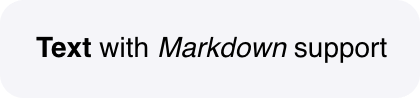
A component to display plain text or formatted text using Markdown syntax.

<img src="https://mintcdn.com/writer/dHnl9w_Om9ycQRLE/framework/public/components/text.png?fit=max&auto=format&n=dHnl9w_Om9ycQRLE&q=85&s=a0e34a7cd67c60ef8f982e5bc99dabf5" width="420" height="98" data-path="framework/public/components/text.png" />

## Fields

<table className="componentFields">
  <thead>
    <th>Name</th>
    <th>Type</th>
    <th class="desc">Description</th>
    <th>Options</th>
  </thead>

  <tbody>
    <tr>
      <td>Text</td>
      <td>Text</td>
      <td>Add text directly, or reference state elements with @{my_text_0}.</td>

      <td>
        <span>-</span>
      </td>
    </tr>

    <tr>
      <td>Enable markdown</td>
      <td>Boolean</td>
      <td>The Markdown output will be sanitised; unsafe elements will be removed.</td>

      <td>
        <span>-</span>
      </td>
    </tr>

    <tr>
      <td>Alignment</td>
      <td>Text</td>
      <td>-</td>

      <td>
        <ol>
          <li>Left</li>

          <li>Center</li>

          <li>Right</li>
        </ol>
      </td>
    </tr>

    <tr>
      <td>Enable copy button</td>
      <td>Boolean</td>
      <td>Enable a copy button that lets users to copy the contents in this field to their clipboard</td>

      <td>
        <span>-</span>
      </td>
    </tr>

    <tr>
      <td>Primary text</td>
      <td>Color</td>
      <td>-</td>

      <td>
        <span>-</span>
      </td>
    </tr>

    <tr>
      <td>Custom CSS classes</td>
      <td>Text</td>
      <td>CSS classes, separated by spaces. You can define classes in custom stylesheets.</td>

      <td>
        <span>-</span>
      </td>
    </tr>
  </tbody>
</table>

## Events

<AccordionGroup>
  <Accordion title="wf-click" icon="code">
    Capture single clicks.

    ```python theme={null}
    def click_handler(state):

    # Increment counter when the text is clicked

    state["counter"] += 1
    ```
  </Accordion>
</AccordionGroup>

<events />
