> ## Documentation Index
> Fetch the complete documentation index at: https://dev.writer.com/llms.txt
> Use this file to discover all available pages before exploring further.

# Tab Container

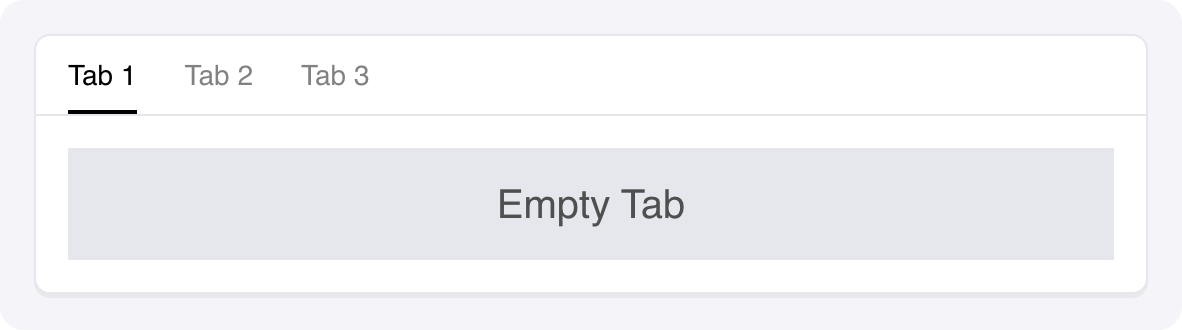
A container component for organising and displaying Tab components in a tabbed interface.

<img src="https://mintcdn.com/writer/mFPGVlLcGxKIh_Y1/framework/public/components/tabs.png?fit=max&auto=format&n=mFPGVlLcGxKIh_Y1&q=85&s=4d0cd3f2d5386d72cd6e0f864e879783" width="1182" height="330" data-path="framework/public/components/tabs.png" />

## Fields

<table className="componentFields">
  <thead>
    <th>Name</th>
    <th>Type</th>
    <th class="desc">Description</th>
    <th>Options</th>
  </thead>

  <tbody>
    <tr>
      <td>Accent</td>
      <td>Color</td>
      <td>-</td>

      <td>
        <span>-</span>
      </td>
    </tr>

    <tr>
      <td>Primary text</td>
      <td>Color</td>
      <td>-</td>

      <td>
        <span>-</span>
      </td>
    </tr>

    <tr>
      <td>Secondary text</td>
      <td>Color</td>
      <td>-</td>

      <td>
        <span>-</span>
      </td>
    </tr>

    <tr>
      <td>Container background</td>
      <td>Color</td>
      <td>-</td>

      <td>
        <span>-</span>
      </td>
    </tr>

    <tr>
      <td>Container shadow</td>
      <td>Shadow</td>
      <td>-</td>

      <td>
        <span>-</span>
      </td>
    </tr>

    <tr>
      <td>Separator</td>
      <td>Color</td>
      <td>-</td>

      <td>
        <span>-</span>
      </td>
    </tr>

    <tr>
      <td>Button</td>
      <td>Color</td>
      <td>-</td>

      <td>
        <span>-</span>
      </td>
    </tr>

    <tr>
      <td>Button text</td>
      <td>Color</td>
      <td>-</td>

      <td>
        <span>-</span>
      </td>
    </tr>

    <tr>
      <td>Button shadow</td>
      <td>Shadow</td>
      <td>-</td>

      <td>
        <span>-</span>
      </td>
    </tr>

    <tr>
      <td>Custom CSS classes</td>
      <td>Text</td>
      <td>CSS classes, separated by spaces. You can define classes in custom stylesheets.</td>

      <td>
        <span>-</span>
      </td>
    </tr>
  </tbody>
</table>

## Events

<AccordionGroup>
  <Accordion title="wf-tab-change" icon="code">
    Sent when the active tab changes.

    ```python theme={null}
    def tab_change_handler(state, payload):

    # The payload contains the name of the newly activated tab

    state["active_tab"] = payload
    ```
  </Accordion>
</AccordionGroup>

<events />
