> ## Documentation Index
> Fetch the complete documentation index at: https://dev.writer.com/llms.txt
> Use this file to discover all available pages before exploring further.

# Page

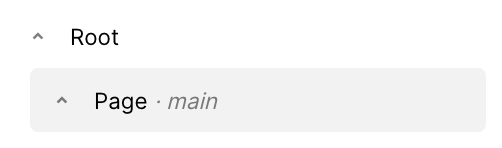
A container component representing a single page within the application.

<img src="https://mintcdn.com/writer/mFPGVlLcGxKIh_Y1/framework/public/components/page.png?fit=max&auto=format&n=mFPGVlLcGxKIh_Y1&q=85&s=64979436113cfd5e25e7b99c74b6599b" width="502" height="148" data-path="framework/public/components/page.png" />

## Fields

<table className="componentFields">
  <thead>
    <th>Name</th>
    <th>Type</th>
    <th class="desc">Description</th>
    <th>Options</th>
  </thead>

  <tbody>
    <tr>
      <td>Page key</td>
      <td>Identifying Key</td>
      <td>Unique identifier. It's needed to enable navigation to this Page.</td>

      <td>
        <span>-</span>
      </td>
    </tr>

    <tr>
      <td>Page mode</td>
      <td>Text</td>
      <td>-</td>

      <td>
        <ol>
          <li>Compact</li>

          <li>Wide</li>
        </ol>
      </td>
    </tr>

    <tr>
      <td>Accent</td>
      <td>Color</td>
      <td>-</td>

      <td>
        <span>-</span>
      </td>
    </tr>

    <tr>
      <td>Primary text</td>
      <td>Color</td>
      <td>-</td>

      <td>
        <span>-</span>
      </td>
    </tr>

    <tr>
      <td>Secondary text</td>
      <td>Color</td>
      <td>-</td>

      <td>
        <span>-</span>
      </td>
    </tr>

    <tr>
      <td>Emptiness</td>
      <td>Color</td>
      <td>Page background color</td>

      <td>
        <span>-</span>
      </td>
    </tr>

    <tr>
      <td>Container background</td>
      <td>Color</td>
      <td>-</td>

      <td>
        <span>-</span>
      </td>
    </tr>

    <tr>
      <td>Container shadow</td>
      <td>Shadow</td>
      <td>-</td>

      <td>
        <span>-</span>
      </td>
    </tr>

    <tr>
      <td>Separator</td>
      <td>Color</td>
      <td>-</td>

      <td>
        <span>-</span>
      </td>
    </tr>

    <tr>
      <td>Button</td>
      <td>Color</td>
      <td>-</td>

      <td>
        <span>-</span>
      </td>
    </tr>

    <tr>
      <td>Button text</td>
      <td>Color</td>
      <td>-</td>

      <td>
        <span>-</span>
      </td>
    </tr>

    <tr>
      <td>Button shadow</td>
      <td>Shadow</td>
      <td>-</td>

      <td>
        <span>-</span>
      </td>
    </tr>

    <tr>
      <td>Custom CSS classes</td>
      <td>Text</td>
      <td>CSS classes, separated by spaces. You can define classes in custom stylesheets.</td>

      <td>
        <span>-</span>
      </td>
    </tr>
  </tbody>
</table>

## Events

<AccordionGroup>
  <Accordion title="wf-keydown" icon="code">
    Captures all key activity while this page is open.

    ```python theme={null}

    def handle_keydown(state, payload):
    # The payload is a dictionary containing the key code and modifier keys.
    # For example,
    # {
    #	"key": "ArrowDown",
    #	"ctrl_key": False,
    #	"shift_key": False,
    #	"meta_key": False
    # }

    key_activated = payload.get("key")
    delta = 0
    if key_activated == "ArrowLeft":
    	delta += -10
    elif key_activated == "ArrowRight":
    	delta += 10

    shift_key = payload.get("shift_key")
    if shift_key:
    	delta *= 2 # Shift makes it go faster

    state["position"] += delta

    ```
  </Accordion>

  <Accordion title="wf-page-open" icon="code">
    Emitted when the page is opened.

    ```python theme={null}

    def handle_page_open(state, payload):
    page_key = payload
    state["message"] = f"The page {page_key} has been opened."

    ```
  </Accordion>
</AccordionGroup>

<events />
