> ## Documentation Index
> Fetch the complete documentation index at: https://dev.writer.com/llms.txt
> Use this file to discover all available pages before exploring further.

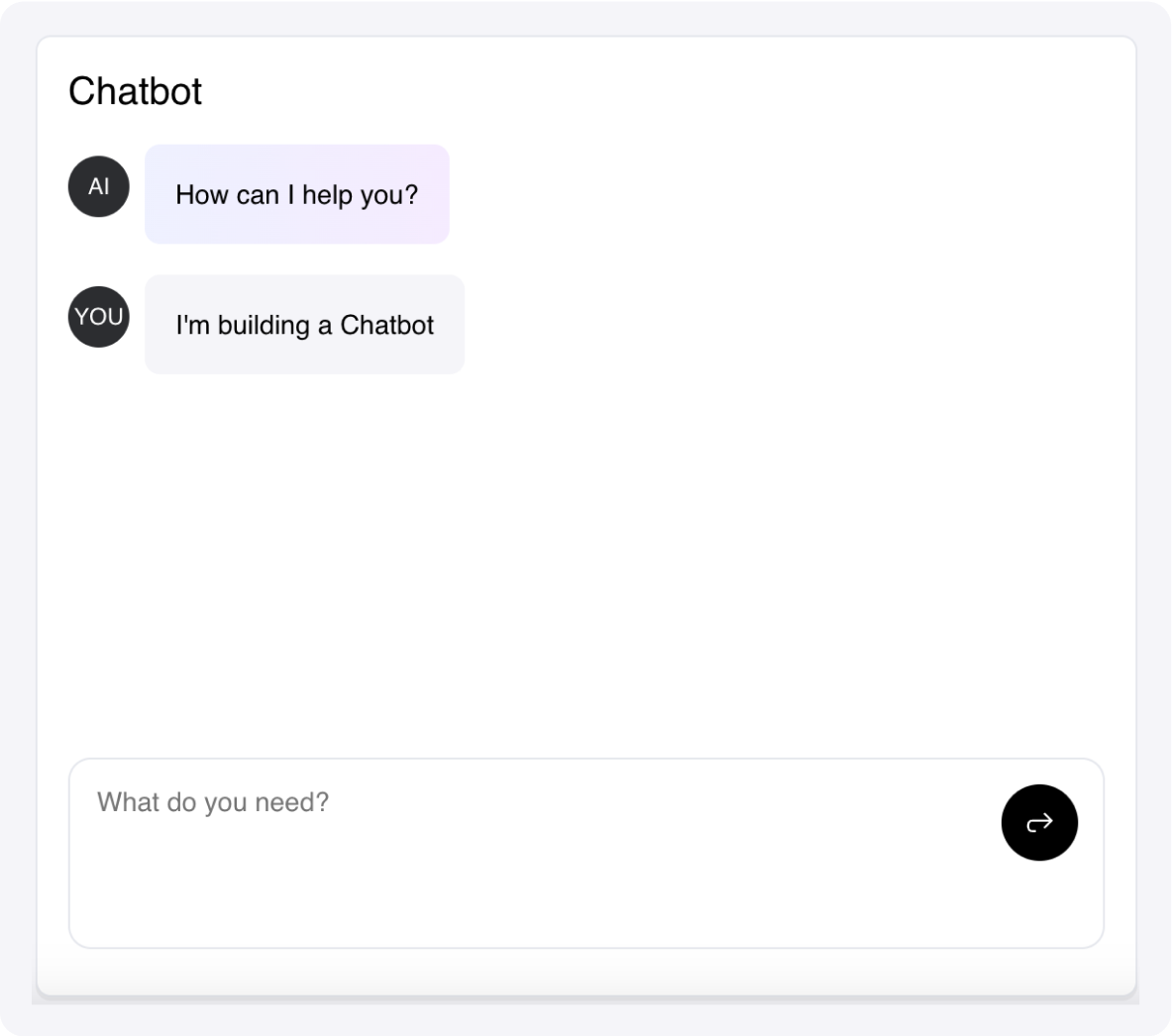
# Chatbot

A chatbot component to build human-to-AI interactions.

<img src="https://mintcdn.com/writer/mFPGVlLcGxKIh_Y1/framework/public/components/chatbot.png?fit=max&auto=format&n=mFPGVlLcGxKIh_Y1&q=85&s=925fc9ec7ff5b6210519f0076e9d81ba" width="1183" height="1046" data-path="framework/public/components/chatbot.png" />

Connect it to an LLM by handling the `wf-chatbot-message` event, which is triggered every time the user sends a message.

You can add `actions` to messages, which are buttons that trigger the `wf-chatbot-action-click`.

See the stubs for more details.

## Fields

<table className="componentFields">
  <thead>
    <th>Name</th>
    <th>Type</th>
    <th class="desc">Description</th>
    <th>Options</th>
  </thead>

  <tbody>
    <tr>
      <td>Conversation</td>
      <td>Object</td>
      <td>An array with messages or a variable that contains your conversation as an object.</td>

      <td>
        <span>-</span>
      </td>
    </tr>

    <tr>
      <td>Assistant initials</td>
      <td>Text</td>
      <td>-</td>

      <td>
        <span>-</span>
      </td>
    </tr>

    <tr>
      <td>User initials</td>
      <td>Text</td>
      <td>-</td>

      <td>
        <span>-</span>
      </td>
    </tr>

    <tr>
      <td>Enable markdown</td>
      <td>Boolean</td>
      <td>If active, the output will be sanitized; unsafe elements will be removed.</td>

      <td>
        <span>-</span>
      </td>
    </tr>

    <tr>
      <td>Enable file upload</td>
      <td>Text</td>
      <td>-</td>

      <td>
        <ol>
          <li>Single file</li>

          <li>Multiple files</li>

          <li>No</li>
        </ol>
      </td>
    </tr>

    <tr>
      <td>Enable image paste</td>
      <td>Boolean</td>
      <td>Allow users to paste images directly into the chat input using Ctrl/Cmd+V.</td>

      <td>
        <span>-</span>
      </td>
    </tr>

    <tr>
      <td>Placeholder</td>
      <td>Text</td>
      <td>-</td>

      <td>
        <span>-</span>
      </td>
    </tr>

    <tr>
      <td>Assistant role</td>
      <td>Color</td>
      <td>-</td>

      <td>
        <span>-</span>
      </td>
    </tr>

    <tr>
      <td>User role</td>
      <td>Color</td>
      <td>-</td>

      <td>
        <span>-</span>
      </td>
    </tr>

    <tr>
      <td>Avatar</td>
      <td>Color</td>
      <td>-</td>

      <td>
        <span>-</span>
      </td>
    </tr>

    <tr>
      <td>Avatar text</td>
      <td>Color</td>
      <td>-</td>

      <td>
        <span>-</span>
      </td>
    </tr>

    <tr>
      <td>Accent</td>
      <td>Color</td>
      <td>-</td>

      <td>
        <span>-</span>
      </td>
    </tr>

    <tr>
      <td>Container background</td>
      <td>Color</td>
      <td>-</td>

      <td>
        <span>-</span>
      </td>
    </tr>

    <tr>
      <td>Primary text</td>
      <td>Color</td>
      <td>-</td>

      <td>
        <span>-</span>
      </td>
    </tr>

    <tr>
      <td>Secondary text</td>
      <td>Color</td>
      <td>-</td>

      <td>
        <span>-</span>
      </td>
    </tr>

    <tr>
      <td>Separator</td>
      <td>Color</td>
      <td>-</td>

      <td>
        <span>-</span>
      </td>
    </tr>

    <tr>
      <td>Button</td>
      <td>Color</td>
      <td>-</td>

      <td>
        <span>-</span>
      </td>
    </tr>

    <tr>
      <td>Button text</td>
      <td>Color</td>
      <td>-</td>

      <td>
        <span>-</span>
      </td>
    </tr>

    <tr>
      <td>Custom CSS classes</td>
      <td>Text</td>
      <td>CSS classes, separated by spaces. You can define classes in custom stylesheets.</td>

      <td>
        <span>-</span>
      </td>
    </tr>
  </tbody>
</table>

## Events

<AccordionGroup>
  <Accordion title="wf-chatbot-message" icon="code">
    Triggered when the user sends a message.

    ```python theme={null}
    def handle_message_simple(payload, state):

    # payload contains a dict in the form { "role": "user", "message": "hello"}

    state["conversation"] += [payload]
    state["conversation"] += [{
        "role": "assistant",
        "content": "Hello human" if payload == "Hello" else "I don't understand"
    }]

    # Handle streaming by appending to the last message

    import time
    for i in range(10):
        conv = state["conversation"]
        conv[-1]["content"] += f" {i}"
        state["conversation"] = conv
        time.sleep(0.5)
    ```
  </Accordion>

  <Accordion title="wf-chatbot-action-click" icon="code">
    Handle clicks on actions.

    ```python theme={null}
    def handle_action_simple(payload, state):

    # payload contains the "data" property of the action

    if payload == "change_title":
        state["app_background_color"] = "red"

    # Make an action available when adding a message

    def handle_message_with_action(payload, state):
    state["conversation"] += [payload]
    state["conversation"] += [{
        "role": "assistant",
        "content": "I don't know, but check this out.",
        "actions": [{
            "subheading": "Resource",
            "name": "Surprise",
            "desc": "Click to be surprised",
            "data": "change_title"
        }]
    }]
    ```
  </Accordion>

  <Accordion title="wf-file-change" icon="code">
    Triggered when files are uploaded

    ```python theme={null}
    def handle_file_upload(state, payload):

    # An array of dictionaries is provided in the payload
    # The dictionaries have the properties name, type and data
    # The data property is a file-like object

    uploaded_files = payload
    for i, uploaded_file in enumerate(uploaded_files):
        name = uploaded_file.get("name")
        file_data = uploaded_file.get("data")
        with open(f"{name}-{i}.jpeg", "wb") as file_handle:
            file_handle.write(file_data)
    ```
  </Accordion>
</AccordionGroup>

<events />