 ## Overview
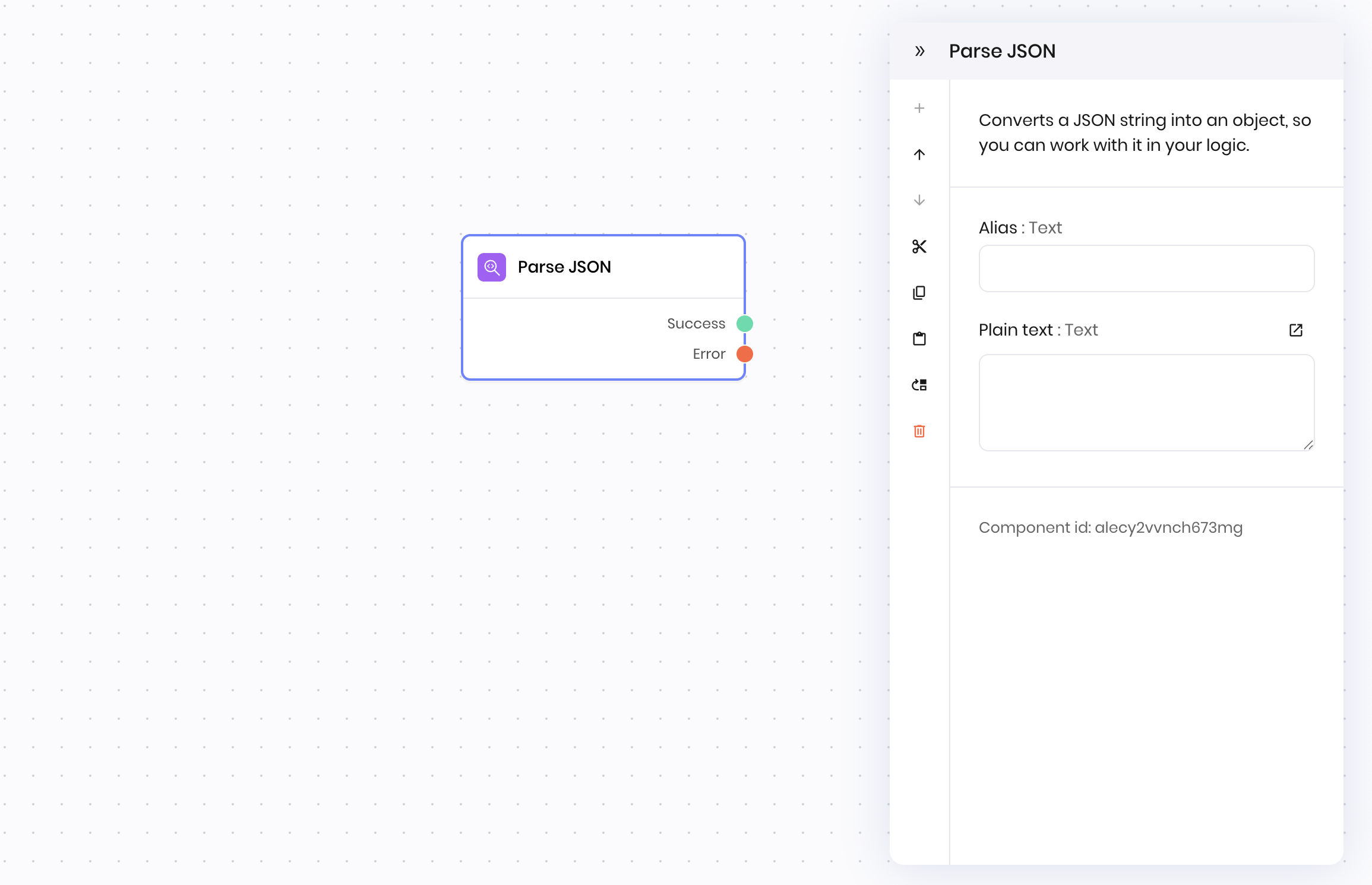
The **Parse JSON** block transforms a JSON-formatted string into a structured object that you can work with programmatically. For example, if you have a string like `'{"name": "John", "age": 30}'`, this block converts it into an object where you can access values like `object.name` or `object.age`.
This block is essential when you need to extract and work with data from:
* API responses that return JSON strings
* Form submissions containing JSON data
* Configuration files stored as JSON
* Any text that follows JSON format
The parsed object lets you:
* Access nested values using dot notation (for example, `user.address.city`)
* Iterate through arrays of data
* Pass structured data to other blocks
* Validate and transform the data structure
## Common use cases
* Parsing API responses
* Converting user input into structured data
* Extracting values from JSON payloads
* Validating JSON format before further processing
## How it works
1. **JSON string**: Enter the JSON string to parse. You can use variables or state values.
The block parses the string and outputs the resulting object. If the string is not valid JSON, the block raises an error.
## Examples
### User order form processing
This example shows why parsing JSON is essential for conditional logic and data extraction.
**Scenario:** A user submits an order form with JSON data that looks like this:
```json theme={null}
{
"customer": {
"name": "Sarah Johnson",
"email": "sarah@example.com",
"tier": "premium"
},
"items": [
{"product": "Laptop", "price": 1299.99, "quantity": 1},
{"product": "Mouse", "price": 29.99, "quantity": 2}
],
"total": 1359.97,
"shipping_method": "express"
}
```
**Without Parse JSON (problematic):**
* Text generation block sees: `"{"customer": {"name": "Sarah Johnson"...`
* Can't access specific values like customer name or total
* Can't apply conditional logic based on order value
* Can't calculate discounts for premium customers
**With Parse JSON (powerful):**
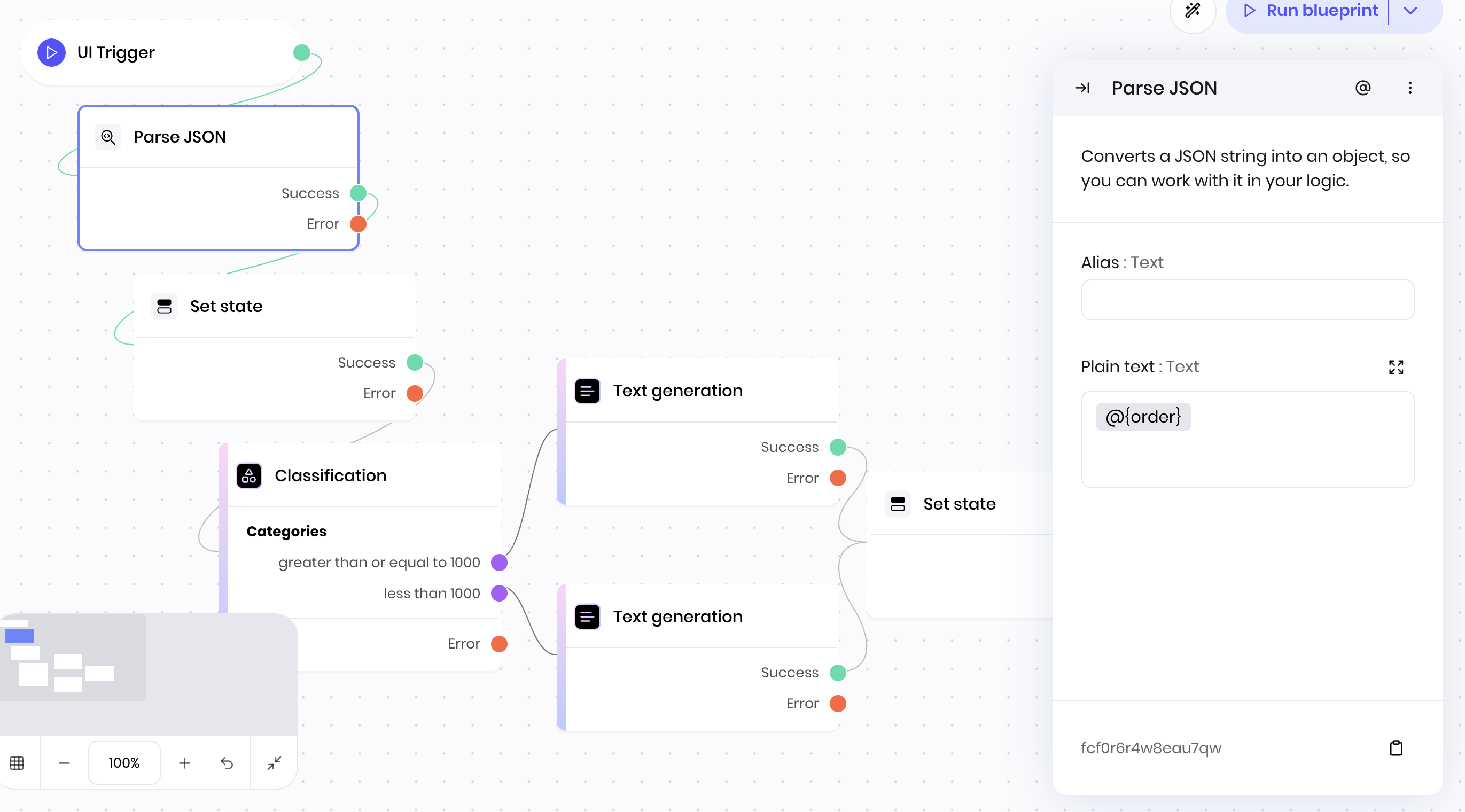
1. **UI Trigger** → User submits order form
2. **Parse JSON** → Converts form data to structured object
3. **Set state** → Store parsed data in a state variable called `parsed_order`
4. **Classification** → Check if `@{parsed_order.total}` >= 1000 for free shipping
5. **Text generation** → Use `@{parsed_order.customer.name}` and `@{parsed_order.total}` in response
**Block Configuration:**
* **JSON string:** `@{order}` (the name of the state variable that contains the JSON string from the interface)
## Overview
The **Parse JSON** block transforms a JSON-formatted string into a structured object that you can work with programmatically. For example, if you have a string like `'{"name": "John", "age": 30}'`, this block converts it into an object where you can access values like `object.name` or `object.age`.
This block is essential when you need to extract and work with data from:
* API responses that return JSON strings
* Form submissions containing JSON data
* Configuration files stored as JSON
* Any text that follows JSON format
The parsed object lets you:
* Access nested values using dot notation (for example, `user.address.city`)
* Iterate through arrays of data
* Pass structured data to other blocks
* Validate and transform the data structure
## Common use cases
* Parsing API responses
* Converting user input into structured data
* Extracting values from JSON payloads
* Validating JSON format before further processing
## How it works
1. **JSON string**: Enter the JSON string to parse. You can use variables or state values.
The block parses the string and outputs the resulting object. If the string is not valid JSON, the block raises an error.
## Examples
### User order form processing
This example shows why parsing JSON is essential for conditional logic and data extraction.
**Scenario:** A user submits an order form with JSON data that looks like this:
```json theme={null}
{
"customer": {
"name": "Sarah Johnson",
"email": "sarah@example.com",
"tier": "premium"
},
"items": [
{"product": "Laptop", "price": 1299.99, "quantity": 1},
{"product": "Mouse", "price": 29.99, "quantity": 2}
],
"total": 1359.97,
"shipping_method": "express"
}
```
**Without Parse JSON (problematic):**
* Text generation block sees: `"{"customer": {"name": "Sarah Johnson"...`
* Can't access specific values like customer name or total
* Can't apply conditional logic based on order value
* Can't calculate discounts for premium customers
**With Parse JSON (powerful):**
1. **UI Trigger** → User submits order form
2. **Parse JSON** → Converts form data to structured object
3. **Set state** → Store parsed data in a state variable called `parsed_order`
4. **Classification** → Check if `@{parsed_order.total}` >= 1000 for free shipping
5. **Text generation** → Use `@{parsed_order.customer.name}` and `@{parsed_order.total}` in response
**Block Configuration:**
* **JSON string:** `@{order}` (the name of the state variable that contains the JSON string from the interface)
 ## Fields
| Name | Type | Control | Default | Description | Options | Validation |
|---|---|---|---|---|---|---|
| Plain text | Text | Textarea | - | - | - | - |
| Name | Field | Type | Description |
|---|---|---|---|
| Success | - | success | The request was successful. |
| Error | - | error | The text provided couldn't be parsed. |