 ## Overview
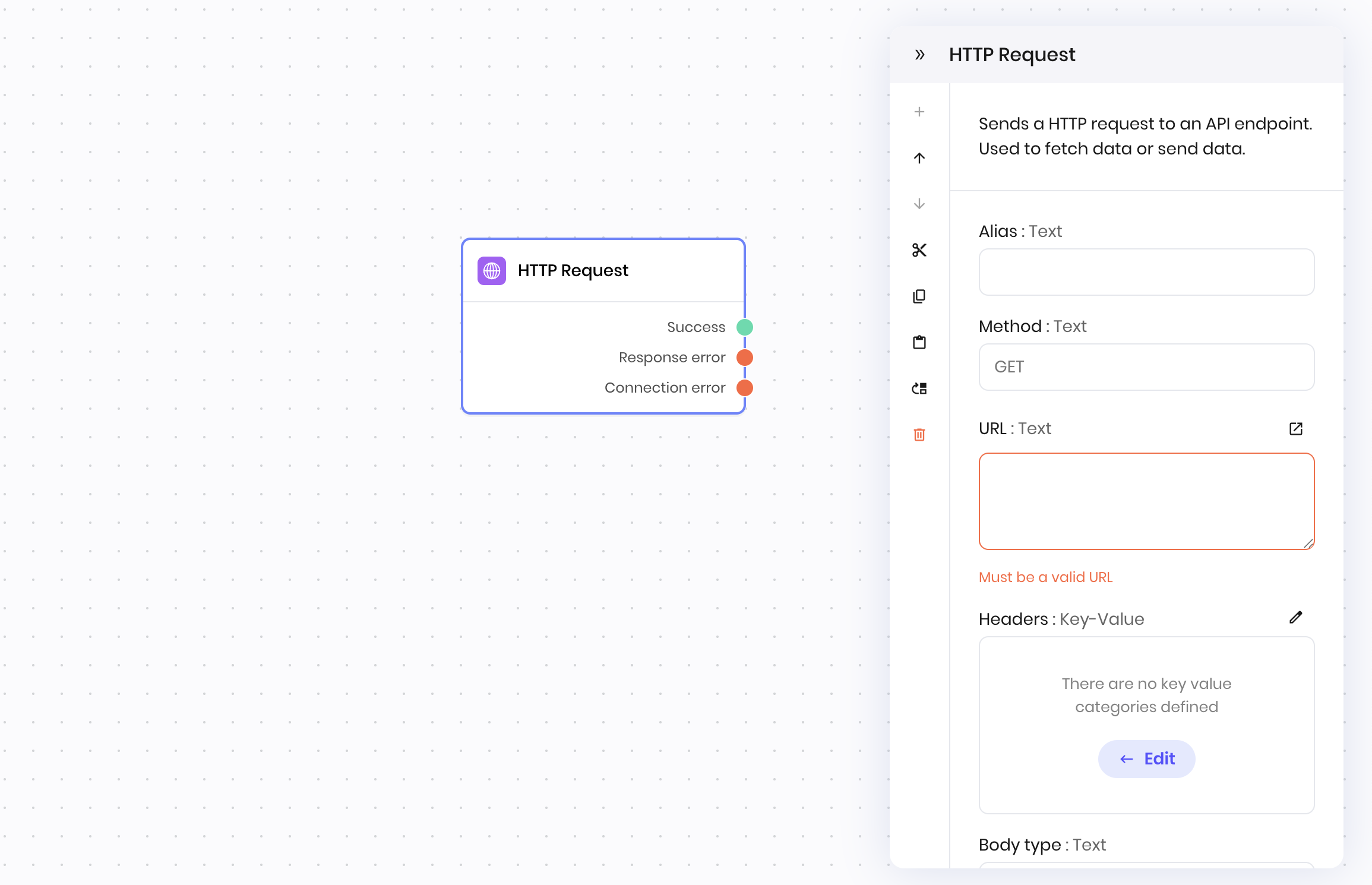
The **HTTP Request** block sends an HTTP request to an API endpoint. Use it to fetch data from external services, send data to APIs, or integrate with third-party systems.
You can configure the HTTP method, URL, headers, body, and body type (plain text or JSON). The block supports `GET`, `POST`, `PUT`, `PATCH`, and `DELETE` methods.
## Common use cases
* Fetching data from a REST API
* Sending data to a webhook or external service
* Integrating with third-party tools
* Automating workflows that require external communication
## How it works
1. **Method**: Choose the HTTP method, for example, `GET`, `POST`.
2. **URL**: Enter the endpoint URL. Pass path parameters in the URL; for example, `https://api.openweathermap.org/data/2.5/weather?q=@{payload.city}&appid=@{vault.openweather_key}&units=metric`.
3. **Headers**: Optionally specify headers as key-value pairs. You can also use [secrets](/agent-builder/secrets) to access API keys and other sensitive values.
4. **Body type**: Choose whether the body you are sending is `text` or `JSON`.
5. **Body**: Enter the request body for `POST`, `PUT`, and `PATCH` requests.
The block sends the request and returns the response. If the request fails due to a connection error (for example, network timeout, DNS failure), it outputs a connection error. If the request receives an error response from the server (for example, `4xx` or `5xx` status code), it outputs a response error. You can access the error details in the next block using the `@{message}` variable.
## Examples
### External API integration
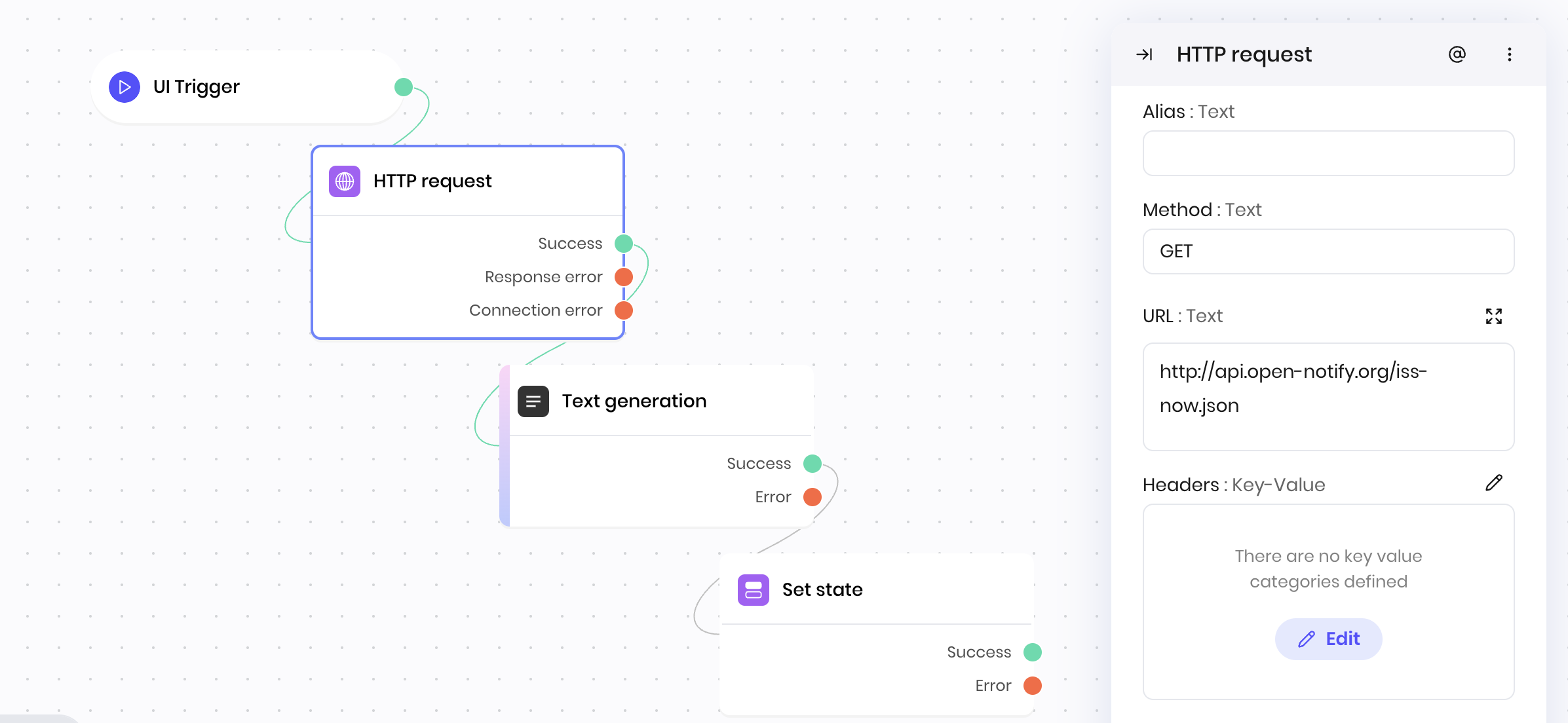
This example demonstrates making HTTP requests to an external API using a public API endpoint. It uses the [Open-Notify API](https://open-notify.org/), which provides real-time data about the International Space Station (ISS); it's free and requires no authentication, so you can use this example to test your workflow before you use it with another API.
**Blueprint flow:**
1. **UI Trigger** → Receives request to fetch ISS location
2. **HTTP Request** → Calls Open-Notify API to get current ISS position
3. **Text generation** → Creates location description based on the body of the response (`@{result.body}`), which contains the latitude and longitude of the ISS
4. **Set state** → Stores the result of the text generation block in state variable to display in the UI
**HTTP Request block configuration:**
* **Method:** GET
* **URL:** `http://api.open-notify.org/iss-now.json`
* **Headers:** None
* **Body type:** None
* **Body:** None
## Overview
The **HTTP Request** block sends an HTTP request to an API endpoint. Use it to fetch data from external services, send data to APIs, or integrate with third-party systems.
You can configure the HTTP method, URL, headers, body, and body type (plain text or JSON). The block supports `GET`, `POST`, `PUT`, `PATCH`, and `DELETE` methods.
## Common use cases
* Fetching data from a REST API
* Sending data to a webhook or external service
* Integrating with third-party tools
* Automating workflows that require external communication
## How it works
1. **Method**: Choose the HTTP method, for example, `GET`, `POST`.
2. **URL**: Enter the endpoint URL. Pass path parameters in the URL; for example, `https://api.openweathermap.org/data/2.5/weather?q=@{payload.city}&appid=@{vault.openweather_key}&units=metric`.
3. **Headers**: Optionally specify headers as key-value pairs. You can also use [secrets](/agent-builder/secrets) to access API keys and other sensitive values.
4. **Body type**: Choose whether the body you are sending is `text` or `JSON`.
5. **Body**: Enter the request body for `POST`, `PUT`, and `PATCH` requests.
The block sends the request and returns the response. If the request fails due to a connection error (for example, network timeout, DNS failure), it outputs a connection error. If the request receives an error response from the server (for example, `4xx` or `5xx` status code), it outputs a response error. You can access the error details in the next block using the `@{message}` variable.
## Examples
### External API integration
This example demonstrates making HTTP requests to an external API using a public API endpoint. It uses the [Open-Notify API](https://open-notify.org/), which provides real-time data about the International Space Station (ISS); it's free and requires no authentication, so you can use this example to test your workflow before you use it with another API.
**Blueprint flow:**
1. **UI Trigger** → Receives request to fetch ISS location
2. **HTTP Request** → Calls Open-Notify API to get current ISS position
3. **Text generation** → Creates location description based on the body of the response (`@{result.body}`), which contains the latitude and longitude of the ISS
4. **Set state** → Stores the result of the text generation block in state variable to display in the UI
**HTTP Request block configuration:**
* **Method:** GET
* **URL:** `http://api.open-notify.org/iss-now.json`
* **Headers:** None
* **Body type:** None
* **Body:** None
 This workflow enables integration with external APIs to enhance your agent's capabilities.
## Fields
This workflow enables integration with external APIs to enhance your agent's capabilities.
## Fields
| Name | Type | Control | Default | Description | Options | Validation |
|---|---|---|---|---|---|---|
| Method | Text | - | - | - |
|
Allowed values: GET, POST, PUT, PATCH, DELETE, |
| URL | Text | Textarea | - | - | - | - |
| Headers | Key-Value | - |
{"{}"}
|
- | - | - |
| Body type | Text | - |
text
|
- |
|
- |
| Body | Text | Textarea | - | - | - | - |
| Name | Field | Type | Description |
|---|---|---|---|
| Success | - | success | The request was successful. |
| Response error | - | error | The connection was established successfully but an error response code was received or the response was invalid. |
| Connection error | - | error | The connection couldn't be established. |