 ## Overview
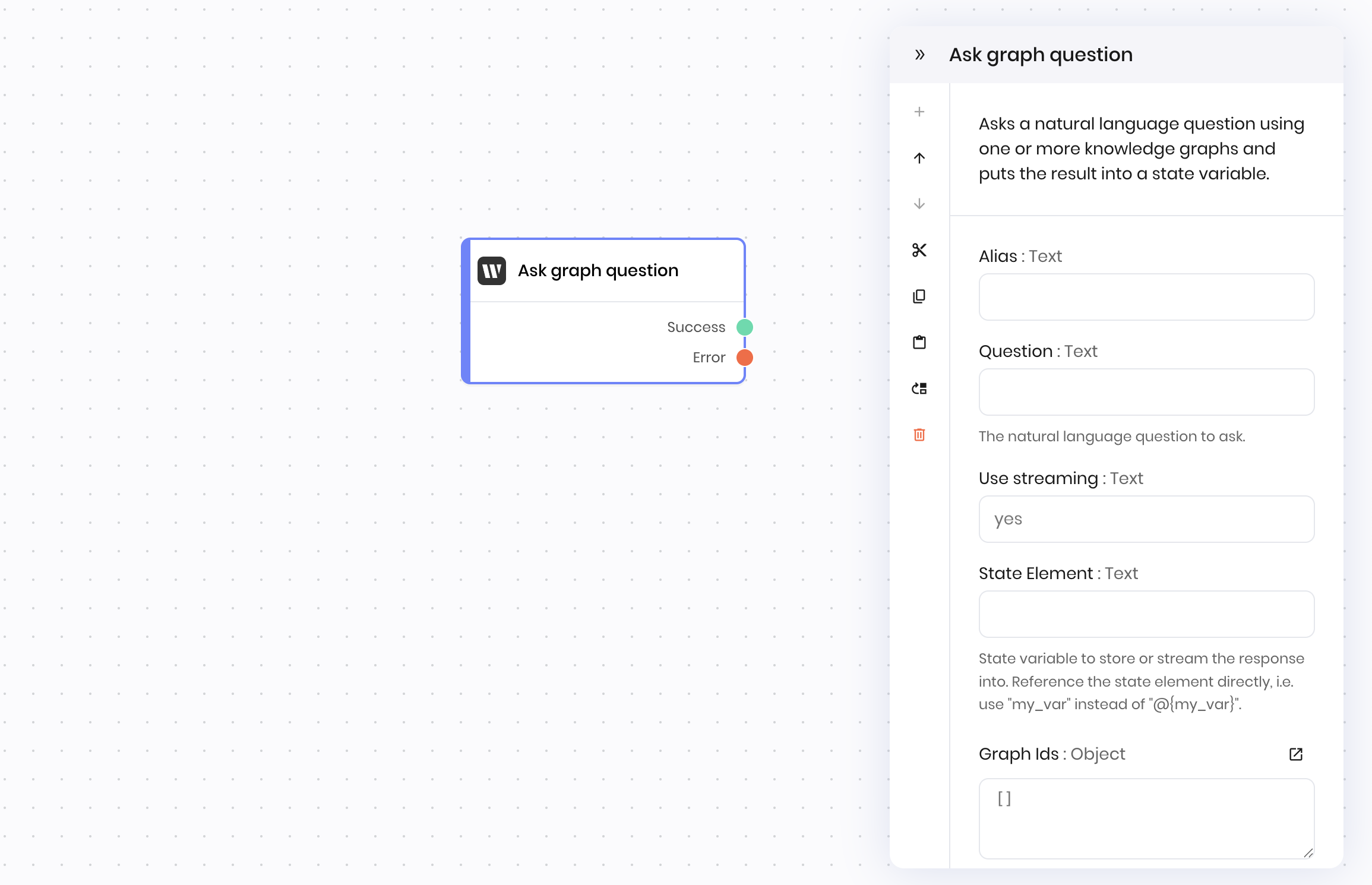
The **Ask graph question** block queries one or more Writer Knowledge Graphs to find relevant information and generate answers based on the stored data. Use it to create AI applications that can reference and retrieve information from your uploaded documents and structured data.
You can specify the question, the list of Knowledge Graphs to search, whether to use streaming or subqueries, and a state variable to store the answer in. The block searches through the Knowledge Graphs and returns a relevant response.
## Common use cases
* Building question-answering systems based on company documents
* Creating AI assistants that reference specific knowledge bases
* Creating compliance verification tools that check against policy documents
* Building research assistants that analyze academic papers or reports
## How it works
1. **Question**: Enter the natural language question you want to ask about the stored data.
2. **Graph Ids**: Specify one or more Knowledge Graphs to query from a list of available Graphs.
3. **Link Variable**: The name of the variable that stores the answer in the agent's state.
4. **Use streaming**: Choose whether to stream the answer as it is generated. If you choose `yes`, the answer will be streamed to the UI as it is generated. If you choose `no`, the answer will be generated and then returned to the agent once it is complete.
5. **Use subqueries**: Enable to allow the LLM to ask follow-up questions to the Knowledge Graph for improved answers.
The block searches the selected Knowledge Graph or Graphs for relevant information and generates an answer based on the stored documents and data.
## Examples
### Employee policy assistant
This example shows a complete workflow where employees can ask questions about company policies and receive accurate, up-to-date information.
**Interface:**
1. **Text input** → Employee submits a question and the text input stores it in a state variable called `question`
2. **Button** → Employee clicks a button to submit the question to the agent
3. **Text** → Employee sees the answer stored in the `policy_answer` state variable in a text block
**Blueprint Flow:**
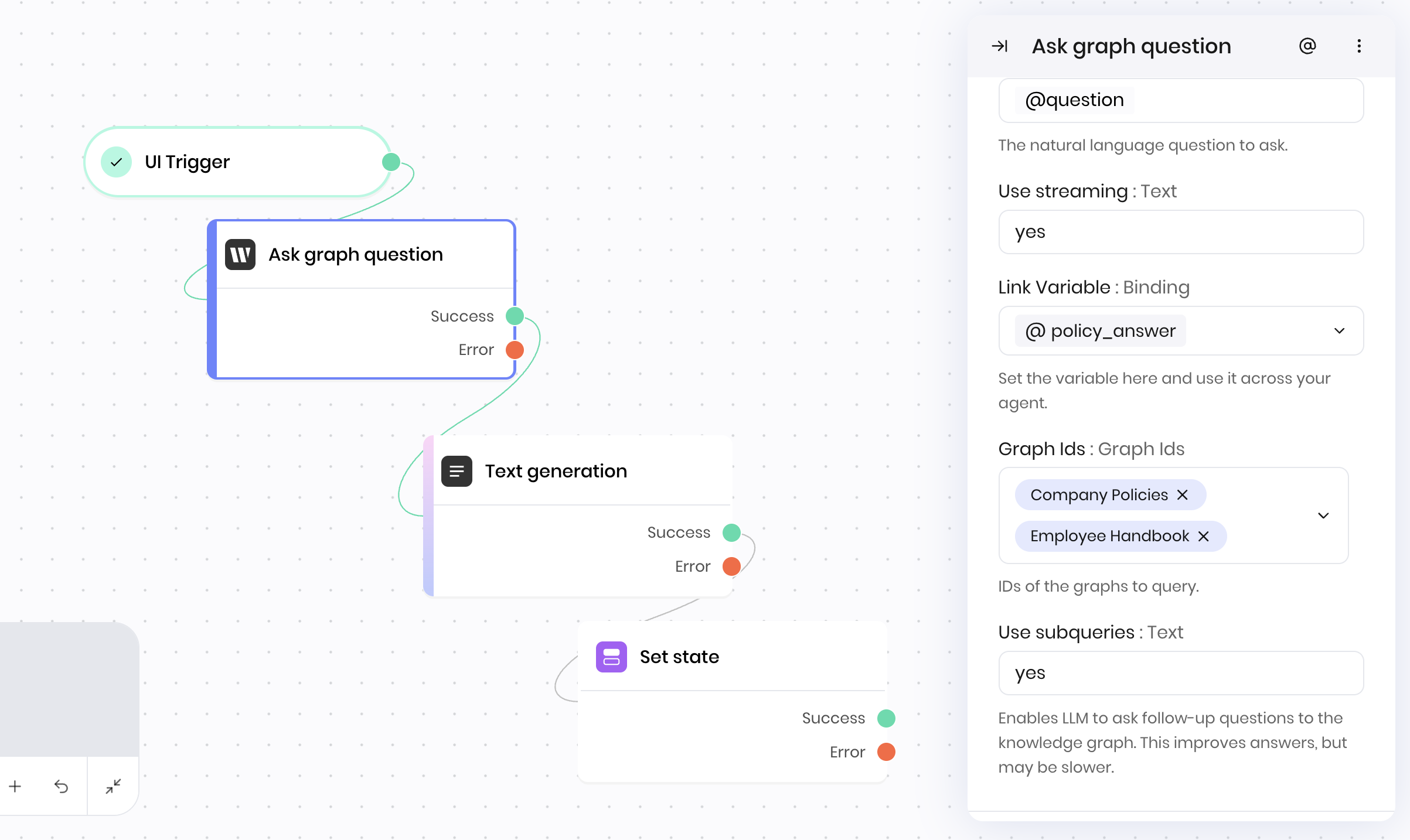
1. **UI Trigger** → Employee submits policy question through form
2. **Ask graph question** → Searches company knowledge base
3. **Text generation** → Formats the answer for the employee with additional context
4. **Set state** → Stores response for display
**Block Configuration:**
* **Graph Ids:** `["Company Policies", "Employee Handbook"]`
* **Question:** `@{question}` (set from a text input in the UI)
* **Link Variable:** `policy_answer`
* **Use streaming:** `yes`
* **Use subqueries:** `yes`
This workflow ensures employees receive accurate, up-to-date policy information directly from company documents.
## Overview
The **Ask graph question** block queries one or more Writer Knowledge Graphs to find relevant information and generate answers based on the stored data. Use it to create AI applications that can reference and retrieve information from your uploaded documents and structured data.
You can specify the question, the list of Knowledge Graphs to search, whether to use streaming or subqueries, and a state variable to store the answer in. The block searches through the Knowledge Graphs and returns a relevant response.
## Common use cases
* Building question-answering systems based on company documents
* Creating AI assistants that reference specific knowledge bases
* Creating compliance verification tools that check against policy documents
* Building research assistants that analyze academic papers or reports
## How it works
1. **Question**: Enter the natural language question you want to ask about the stored data.
2. **Graph Ids**: Specify one or more Knowledge Graphs to query from a list of available Graphs.
3. **Link Variable**: The name of the variable that stores the answer in the agent's state.
4. **Use streaming**: Choose whether to stream the answer as it is generated. If you choose `yes`, the answer will be streamed to the UI as it is generated. If you choose `no`, the answer will be generated and then returned to the agent once it is complete.
5. **Use subqueries**: Enable to allow the LLM to ask follow-up questions to the Knowledge Graph for improved answers.
The block searches the selected Knowledge Graph or Graphs for relevant information and generates an answer based on the stored documents and data.
## Examples
### Employee policy assistant
This example shows a complete workflow where employees can ask questions about company policies and receive accurate, up-to-date information.
**Interface:**
1. **Text input** → Employee submits a question and the text input stores it in a state variable called `question`
2. **Button** → Employee clicks a button to submit the question to the agent
3. **Text** → Employee sees the answer stored in the `policy_answer` state variable in a text block
**Blueprint Flow:**
1. **UI Trigger** → Employee submits policy question through form
2. **Ask graph question** → Searches company knowledge base
3. **Text generation** → Formats the answer for the employee with additional context
4. **Set state** → Stores response for display
**Block Configuration:**
* **Graph Ids:** `["Company Policies", "Employee Handbook"]`
* **Question:** `@{question}` (set from a text input in the UI)
* **Link Variable:** `policy_answer`
* **Use streaming:** `yes`
* **Use subqueries:** `yes`
This workflow ensures employees receive accurate, up-to-date policy information directly from company documents.
 ## Fields
| Name | Type | Control | Default | Description | Options | Validation |
|---|---|---|---|---|---|---|
| Question | Text | Textarea | - | The natural language question to ask. | - | - |
| Use streaming | Boolean | - |
yes
|
- | - | - |
| Link Variable | Binding | - | - | Set the variable here and use it across your agent. | - | - |
| Graph Ids | Graph Ids | - |
""
|
IDs of the graphs to query. | - | - |
| Use subqueries | Boolean | - |
yes
|
Enables LLM to ask follow-up questions to the knowledge graph. This improves answers, but may be slower. | - | - |
| Name | Field | Type | Description |
|---|---|---|---|
| Success | - | success | Successfully streamed the answer. |
| Error | - | error | There was an error answering the question. |