> ## Documentation Index
> Fetch the complete documentation index at: https://dev.writer.com/llms.txt
> Use this file to discover all available pages before exploring further.
# Store secrets with Vault
> Store API keys, passwords, and credentials securely with Vault in Agent Builder. Reference secrets in blueprints and Python code.
Agent Builder provides **Vault**, which is a secure way to store and use secrets in your agents. Use Vault to store sensitive information like API keys, passwords, and other credentials.
You can reference secrets in any block in your blueprint and [within Python code](/agent-builder/python-secrets).
 ## Create a secret
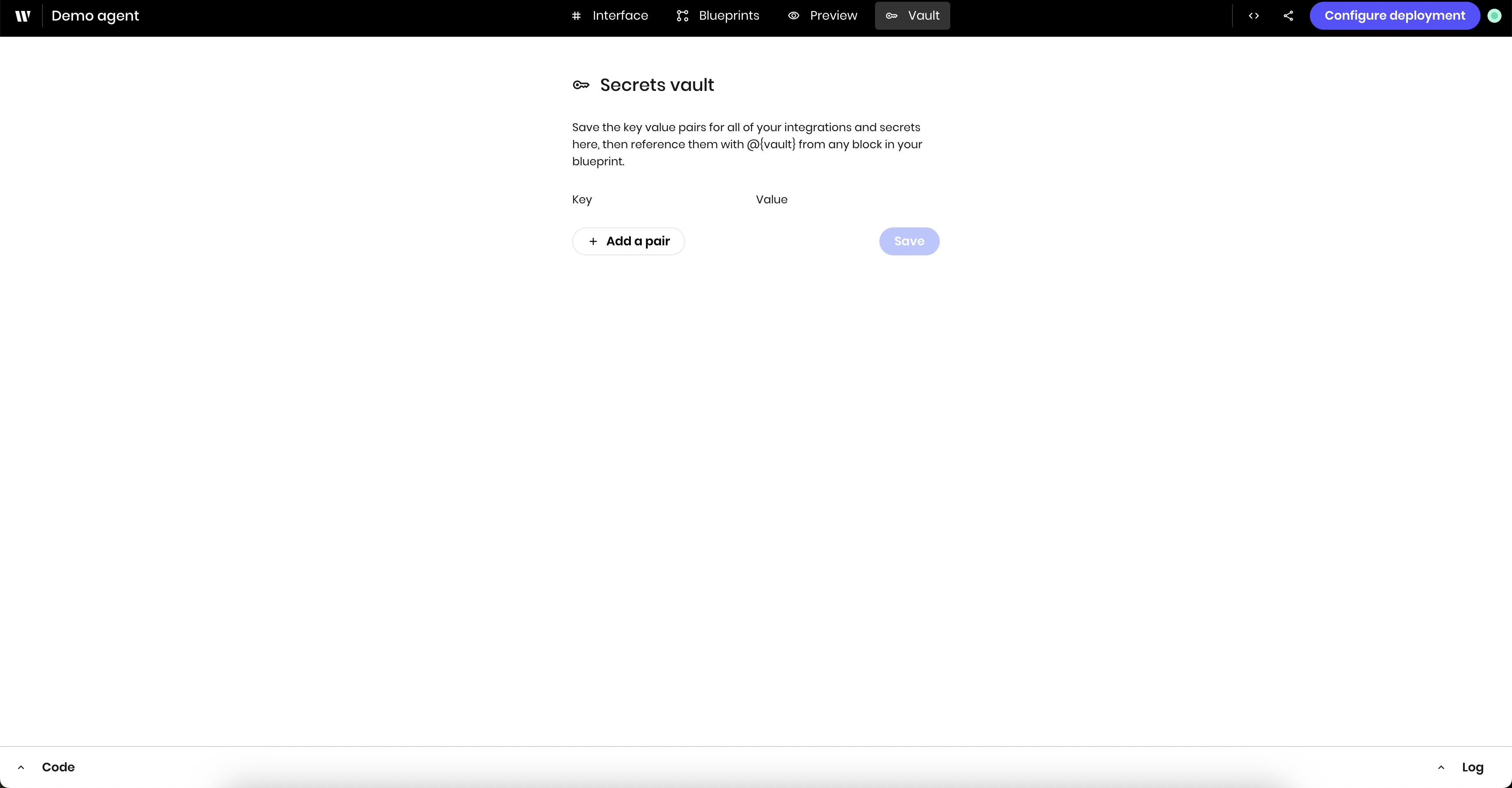
Secrets are strings stored as key-value pairs. To create a secret, go to the **Vault** tab in the Agent Builder UI and click **+Add a pair**.
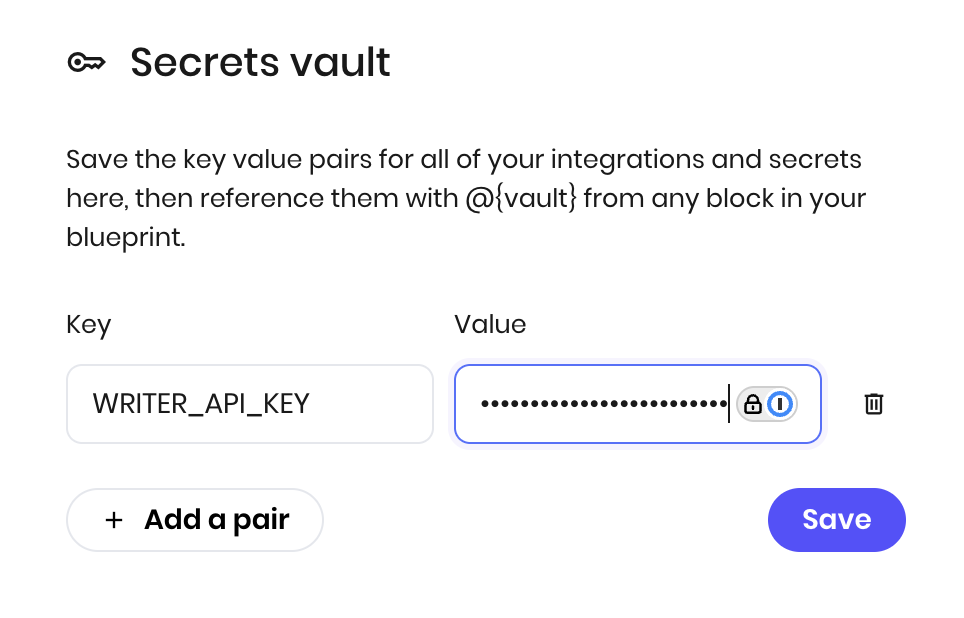
The example below creates a secret with the name `WRITER_API_KEY`. When you type the value, it's masked in the UI.
Click **Save** to store the secret.
## Create a secret
Secrets are strings stored as key-value pairs. To create a secret, go to the **Vault** tab in the Agent Builder UI and click **+Add a pair**.
The example below creates a secret with the name `WRITER_API_KEY`. When you type the value, it's masked in the UI.
Click **Save** to store the secret.
 You can also delete and update secrets from the **Vault** tab.
## Use a secret
To use a secret, reference it in a block in your blueprint with the prefix `@{vault}`. For example, to use the `WRITER_API_KEY` secret, you would use it as `@{vault.WRITER_API_KEY}`.
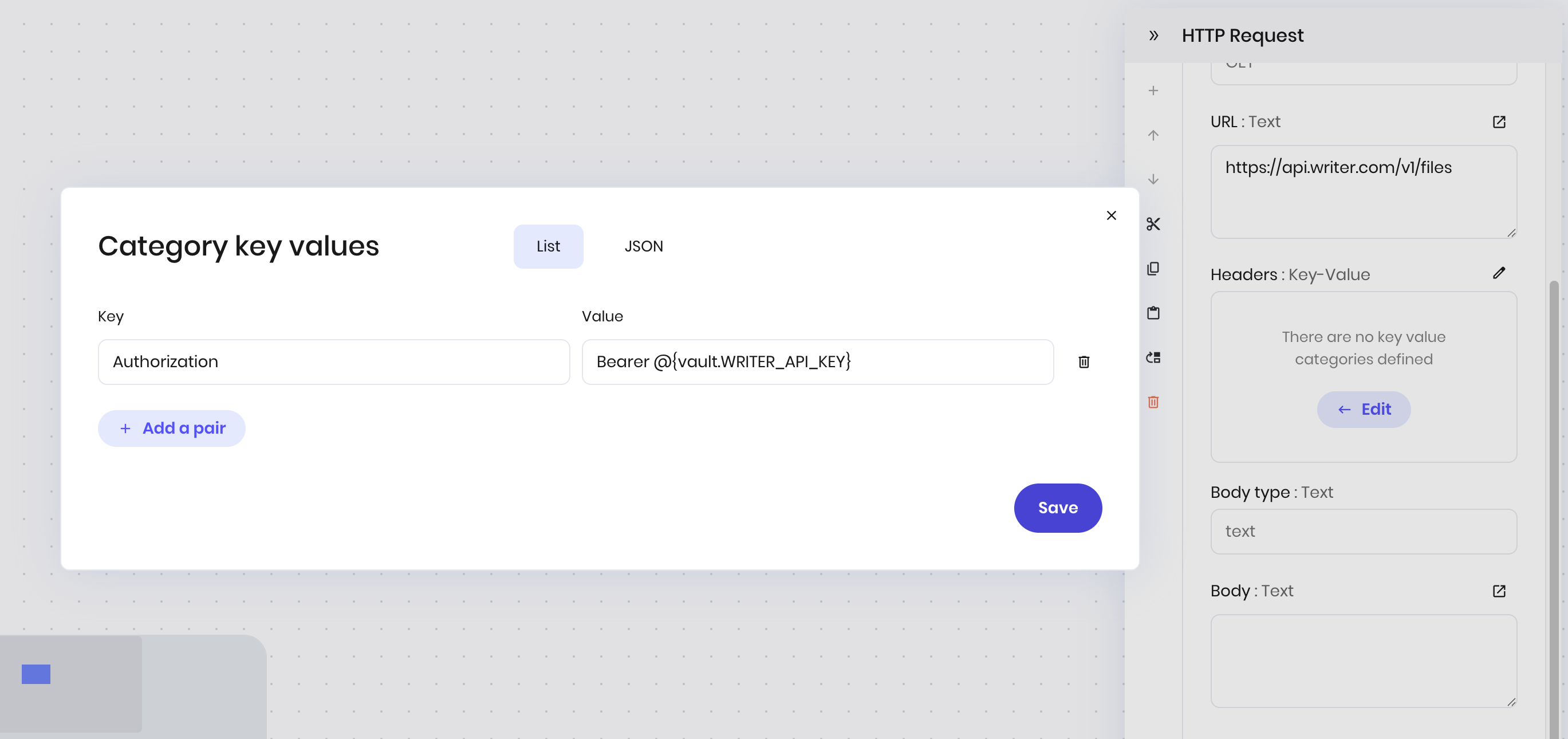
The example below shows adding an authorization header to an HTTP request block using the `WRITER_API_KEY` secret.
You can also delete and update secrets from the **Vault** tab.
## Use a secret
To use a secret, reference it in a block in your blueprint with the prefix `@{vault}`. For example, to use the `WRITER_API_KEY` secret, you would use it as `@{vault.WRITER_API_KEY}`.
The example below shows adding an authorization header to an HTTP request block using the `WRITER_API_KEY` secret.
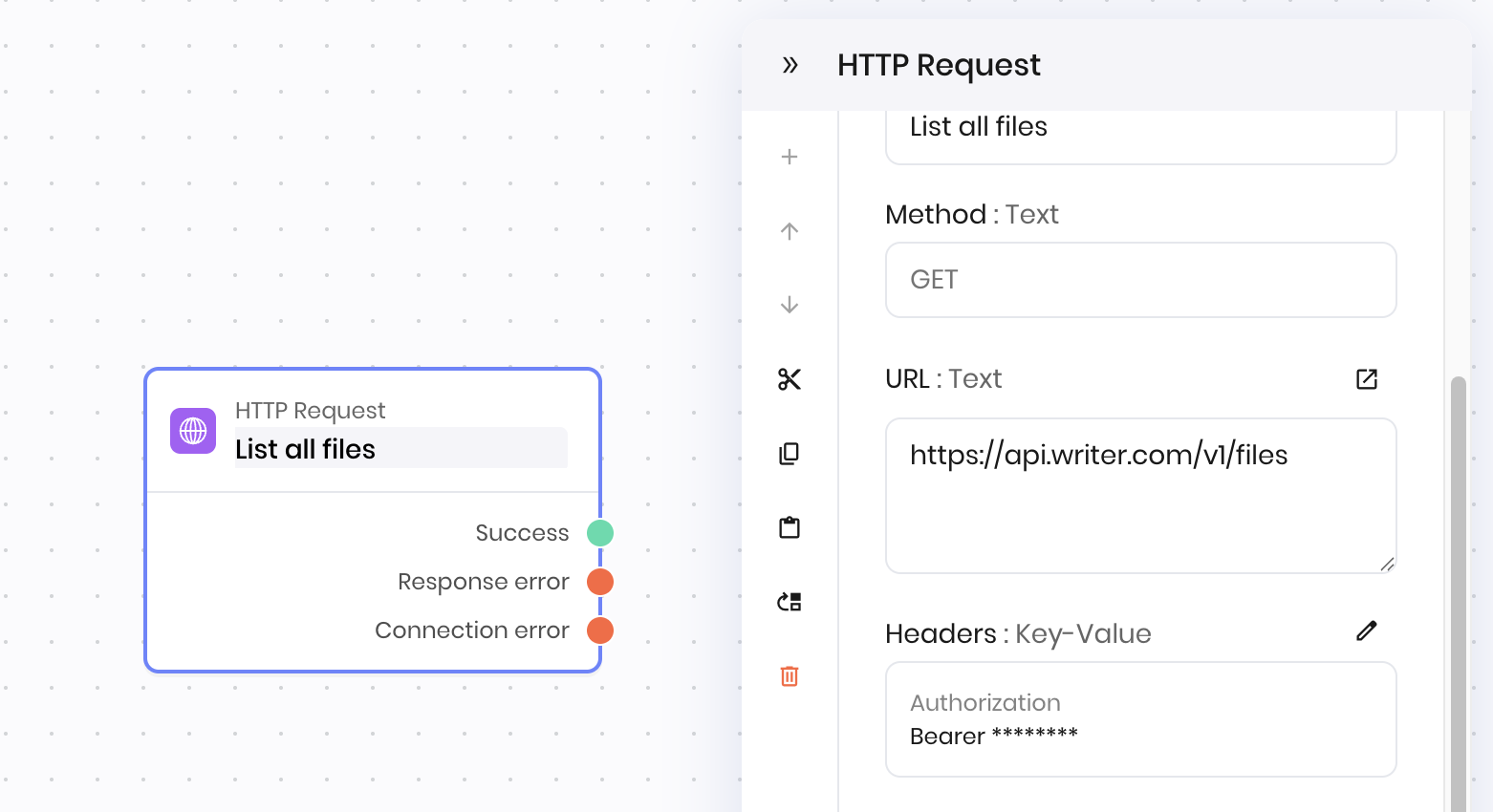
 When you reference a secret, it's automatically masked in the UI.
 ## Use a secret in Python code
You can access secrets in Python code blocks within blueprints using the `vault` object. `vault` is a dictionary that contains all the secrets in your blueprint.
Vault secrets are only available in **blueprint code blocks** and **event handlers**. They are not available in `main.py` or other Python modules at the global scope. This is by design for security reasons. If you need to access secrets in `main.py`, use environment variables like `os.getenv('WRITER_API_KEY')` instead.
For example, to access a secret called `API_KEY` and use it in an HTTP request, you would use the following code:
```python theme={null}
headers = {
"Authorization": f"Bearer {vault['API_KEY']}"
}
```
Learn more about [accessing secrets in Python code](/agent-builder/python-secrets).
## Next steps
Now that you've learned how to store and use secrets in Vault, learn how to [make authenticated API calls using HTTP request blocks](/blueprints/httprequest) with your stored credentials.
**More resources**
* [Access secrets in Python code](/agent-builder/python-secrets) - Learn how to use vault secrets in event handlers and Python code blocks
* [Python code blocks](/blueprints/pythoncode) - Add custom Python logic to your blueprints
* [Local development](/agent-builder/local-development) - Set up local development with environment variables
## Use a secret in Python code
You can access secrets in Python code blocks within blueprints using the `vault` object. `vault` is a dictionary that contains all the secrets in your blueprint.
Vault secrets are only available in **blueprint code blocks** and **event handlers**. They are not available in `main.py` or other Python modules at the global scope. This is by design for security reasons. If you need to access secrets in `main.py`, use environment variables like `os.getenv('WRITER_API_KEY')` instead.
For example, to access a secret called `API_KEY` and use it in an HTTP request, you would use the following code:
```python theme={null}
headers = {
"Authorization": f"Bearer {vault['API_KEY']}"
}
```
Learn more about [accessing secrets in Python code](/agent-builder/python-secrets).
## Next steps
Now that you've learned how to store and use secrets in Vault, learn how to [make authenticated API calls using HTTP request blocks](/blueprints/httprequest) with your stored credentials.
**More resources**
* [Access secrets in Python code](/agent-builder/python-secrets) - Learn how to use vault secrets in event handlers and Python code blocks
* [Python code blocks](/blueprints/pythoncode) - Add custom Python logic to your blueprints
* [Local development](/agent-builder/local-development) - Set up local development with environment variables